Phone screen repair is worth it when the phone is about three years old or less, the damage stops at the display, and the quote lands well under 40% of what an equivalent replacement phone costs. Once the frame, battery, or back glass is damaged too, or the phone has lost software support, replacing it usually buys you more for the money.
That 40% line is not something I invented. It keeps coming up in owner discussions on r/mobilerepair and r/iphone as the point where a repair stops being a bargain and starts being a gamble, and it is the number I use when friends ask me to look at a quote.
The rest of this guide breaks the decision into four things you can actually check: what each option costs in proportion to the other, whether the replacement screen actually performs like the original, what the phone’s age does to the math, and what can go wrong after the repair shop hands it back.
Table of Contents›
- Is Phone Screen Repair Worth It or Should You Replace? at a Glance
- What Does Each Option Usually Cost?
- What moves a screen repair quote
- The three alternatives people forget
- How Do Repair Quality and Water Resistance Compare?
- The three part tiers
- Water resistance after a repair
- What the repair can quietly break
- Does the Phone’s Age Change the Decision?
- Under three years
- Three to four years
- Four years and older
- The question that settles it fastest
- What Are the Risks of Repairing the Screen?
- Hidden damage discovered mid-job
- Data loss and technician access
- Warranty and insurance conflicts
- Five red flags at the repair shop
- When Is Replacing the Phone the Better Value?
- How to Compare Repair and Replacement Before Spending
- Frequently Asked Questions
- Is it cheaper to repair a cracked phone screen or replace the phone?
- Will fixing a cracked screen restore water resistance?
- Can I repair my phone screen without losing my data?
- Does third-party screen repair affect the manufacturer warranty?
- Is it worth repairing the screen on an old phone?
- Conclusion
Is Phone Screen Repair Worth It or Should You Replace? at a Glance
Repair here means fitting a new display assembly to the phone you already own, leaving the battery, cameras, storage and processor untouched. Replacement means buying a different device, either new or certified refurbished. The table compares the two across the criteria that decide most cases.
| Criterion | Repair the screen | Replace the phone |
|---|---|---|
| Typical cost | Usually a fraction of a comparable new device, most often in the 20% to 40% range | The full outlay, minus whatever trade-in or carrier credit applies |
| Data risk | Low with a cloud backup in place; a full reset is still possible in rare cases | None beyond setup, since everything migrates to a new device |
| Reliability | Genuine parts can match the original; copy parts often need replacing again within a year | Everything is factory spec on day one |
| Device age | Strong case under 3 years, weaker past 4 years or once support ends | Always a clean slate |
| Warranty coverage | Manufacturer plans may be affected by third-party work; a good shop adds its own parts and labour cover | Full manufacturer warranty starts fresh |
| Parts availability | Good for current models, patchy for phones several generations old | Not a factor |
| Resale value | A repaired phone sells, with a small deduction for the part history | Highest possible, on a device you will later trade in anyway |
One row deserves emphasis. Repair wins on cost only while your phone is genuinely worth preserving. If the device is already the weakest phone you own, the gap between the two options is smaller than it looks on paper, because a fresh display on a tired phone still gives you a tired phone.
What Does Each Option Usually Cost?
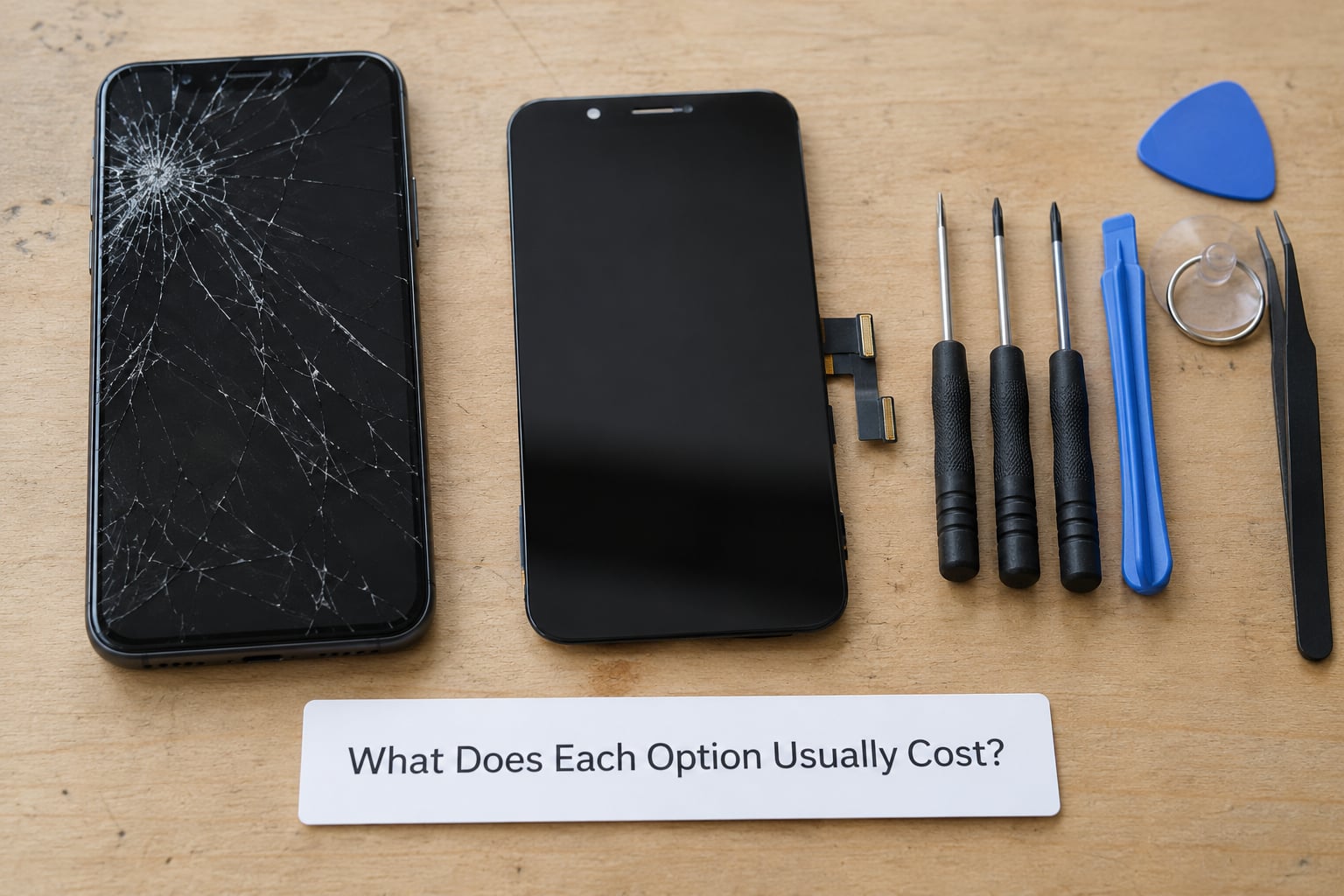
Almost nobody thinks in absolute numbers here, and that is a mistake. What matters is the ratio between the repair and the alternative, because the absolute figures move every few months while the gap between a repair and a replacement phone holds its shape for years.
What moves a screen repair quote
Phone age. Parts availability drives most of the spread. A current-generation panel is stocked by every supplier; a panel for a phone that has been off sale for three years may come from a single distributor, and the parts layer is a much larger share of the job.
Screen type. OLED assemblies cost more to produce than the LCD panels they replaced, and the difference is passed straight through to the quote. A curved or edge-to-edge display also takes longer to fit than a flat one.
Glass only versus full assembly. If the front glass is cracked but the panel underneath still shows a clean picture and responds to touch, a glass-only repair is cheaper and keeps the original panel. If the display has black patches, colour banding, or dead touch areas, the whole assembly has to go.
Labour and location. A mall kiosk, a mail-in service, and an independent shop all price the same part differently because they carry different overheads and warranty terms. The cheapest quote is often the one with the shortest guarantee.
Warranty status. If the device is still covered, an authorised service visit may cost nothing to you. Once that coverage is gone, the same work becomes a line item on your own bill.
The three alternatives people forget
Refurbished. A certified refurbished device from a manufacturer or a major retailer lands between a repair and a new phone in cost, and it arrives sealed, warrantied and with original parts. On a phone you were going to replace anyway, this is often the honest answer.
Screen protector over damaged glass. A protector hides a cracked corner and stops the crack spreading if the glass is only chipped. It does nothing at all once touch is unreliable or the panel shows dead pixels, and it will not make a spiderweb screen usable.
Doing it yourself. Parts and kits for popular models are cheap, and the job looks simple in a video. The risk is not the swap itself but the ribbon cables, the adhesive seal, and the frame flexing during disassembly.
A quoted rule of thumb that holds up well: if the repair figure sits under 40% of the replacement cost, and the phone is under three years old, repair. Between 40% and 60%, look at a refurbished device. Above 60%, the arithmetic is no longer on your side.
How Do Repair Quality and Water Resistance Compare?
Two screen repairs quoted at the same price can differ more in the hand than two phones a hundred dollars apart. The difference is the part tier, and it decides everything downstream.
The three part tiers
Genuine or OEM parts match the panel, colour calibration, brightness and touch sampling of the original. They cost the most and they are the only tier that reliably preserves Face ID or under-display fingerprint behaviour, because the sensor is paired to the display at the factory.
Quality aftermarket parts are built to the same specification by a third manufacturer. Many are perfectly usable, and the difference shows up in the coating: the oleophobic layer that resists fingerprints wears off sooner, so a screen that felt smudge-free in week one can feel noticeably greasier by month three. That is the complaint Galaxy S23 Ultra owners raise most often, that the phone does not feel the same after the screen is changed, and the counter-argument from other owners is that quality is identical. Both experiences are real, and the gap between them is the part tier.
Low-cost copy parts are where the complaints concentrate. Typical symptoms are a dimmer panel, uneven brightness, colour that shifts when you tilt the phone, touch that misses in a corner, and a True Tone or adaptive brightness setting that behaves oddly. Most failures show up in the first two months, which is exactly when many repair warranties have already lapsed.
Water resistance after a repair
A sealed phone is sealed by factory, under controlled conditions, to an IP rating. A repair opens the device and reseals it with new adhesive, and no reseal can be verified afterwards. Treat any repaired phone as a device you keep away from water, whatever the shop tells you about the seal they replaced.
Ask directly whether the shop replaces the adhesive gasket and frame seal, and whether they reseal the device to a testable standard. Silence on that point is informative.
What the repair can quietly break
On phones where the fingerprint reader sits under the display, a copy screen can disable the sensor outright, and on phones with face unlock paired to the original panel, a mismatched part can leave you with a camera but no unlock. The earpiece speaker and proximity sensor sit close to the display connector, and a bent frame during fitting is a common cause of a muffled call after a repair that appeared to go fine.
None of this is a reason to avoid repair. It is a reason to insist on a part tier that is stated out loud, and on a guarantee long enough to catch a failing panel.
Does the Phone’s Age Change the Decision?
Age is the variable that quietly reverses a decision that looked obvious on day one. A cracked three-year-old flagship is a straightforward repair. The same crack on a seven-year-old budget phone is a bet on parts that may not exist next year.
Under three years
Repair almost always wins here. Parts are plentiful, the battery has not yet swollen, performance is still at a level you notice, and the phone will likely run several more years of software support. This is the band where owners on r/Frugal and r/iphone broadly agree, and where a genuine part is worth the extra spend.
Three to four years
It becomes a judgement call. Look at the battery first, because a battery replacement on a phone with a good screen often costs less than another screen job in two years, and doing both at once is cheaper than doing them separately. If the phone still receives security updates and you have no plan to move up, repair and add a screen protector at the same time.
Four years and older
Repair only if the phone is your daily driver with no backup, the damage is cosmetic plus minor, and you know your model well enough to source parts yourself. Software support has usually ended, replacement panels get scarce, and the second failure is more likely than the first. A refurbished device in the same bracket gives you newer hardware and a real warranty for less than you would spend on two repairs.
The question that settles it fastest
Divide the total cost by the number of months you expect to keep the phone. A repair on a phone you will hold for eight more months at a mid-range repair cost gives you poor monthly value; the same repair on a phone you will use for two years is the better deal by a wide margin.
What Are the Risks of Repairing the Screen?
Most bad experiences come from one of five things: hidden damage nobody scoped, a part that does not match, a shop that will not stand behind the work, an insurance or warranty gap, or data left exposed while the device was in someone else’s hands.
Hidden damage discovered mid-job
This is the complaint that appears most often. A shop opens the device, finds a bent frame or a torn cable, and the price goes up. The fix is simple: ask whether the quote is all-in, and get it in writing. A reputable shop gives you a new total and waits for your approval before adding work.
Data loss and technician access
Owners worry about this more than they say out loud, and the concern is reasonable. A display swap should not require anyone to see your photos or messages, but the device has to be unlocked for some functions, so the risk depends on the shop rather than the repair. Put the phone in its repair or maintenance mode if it has one, remove the SIM and memory card, and ask the shop to leave the phone off the network. Back everything up to the cloud first, because a factory reset after a board-level fault is a real possibility even though it is uncommon.
Warranty and insurance conflicts
Manufacturer plans generally cover manufacturing defects, not accidental damage, so a cracked screen was never the warranty’s job in the first place. What matters is what a third-party repair does to your remaining coverage. Some manufacturers will flag service by an outside party and decline later claims, so check before you book. Carrier protection and credit card extended warranty are separate products with their own rules, and r/verizon threads are full of owners discovering that a deductible and a claim process apply before anything is covered.
There is a well-known denial pattern worth knowing: an owner with a small corner crack has a touch failure months later, and the manufacturer declines because the pre-existing damage is blamed. If your screen has any visible crack when a different problem appears, document it and raise the earlier issue before it turns into a dispute.
Five red flags at the repair shop
No written guarantee on parts and labour. Owners consistently ask for 90 days minimum; anything less and a failing panel is your problem.
“We use the same quality as Apple.” Ask what the part is called. Genuine, OEM, aftermarket and copy are different products, and a shop that will not name the tier is hiding something.
A quote far below every other bid. A dramatic outlier usually means a lower part tier or work that gets billed as extras later.
No mention of the water resistance seal. If resealing is not part of the job, ask what happened to the original seal.
Pressure to decide on the spot. Nothing about a screen repair requires a decision in the next ten minutes.
When Is Replacing the Phone the Better Value?
Replacement wins in a small number of situations, and they are easy to recognise once you look for them rather than arguing yourself into a repair you do not want.
Cracked back glass. On many phones the back panel is glass bonded to the frame, and opening it for a screen job means dealing with a broken seal. Back glass repair is a separate, expensive job, and two expensive jobs on one device usually means a replacement.
Two failed repairs. If a screen has already been replaced once and failed inside a year, the phone is telling you something about the part supply and possibly the frame.
Parts that no longer exist. When a shop cannot source the panel at all, the repair stops being a purchase and becomes a favour.
Battery and screen at the same time. If the battery is swelling and lifting the display, or if the battery is at the end of its usable life, a single service visit that does both can be worth it. Two separate visits rarely are.
No software support left. An unpatched phone holding your accounts and banking apps is a reason to move on, independent of the screen.
The upgrade is worth it anyway. If the money you would spend on a screen would also buy a newer device with a better camera, battery and support window, then you were going to replace the phone eventually and the repair simply delays it.
The refurbished option sits in the middle and deserves more attention than it gets. A certified refurbished device with a manufacturer warranty gives you original parts, known battery condition, and a support window measured in years, at a level between a repair and a new phone. If your phone is three or more years old and already showing battery wear, this is often the best-value path and the least discussed one.
How to Compare Repair and Replacement Before Spending
Run these seven steps before you authorise anything. They take an evening and save people a lot of money and regret.
1. Back the phone up. A cloud backup plus a local copy on your computer takes minutes and removes the only real data risk in this process.
2. Write down what is actually broken. Cracked glass, unresponsive touch, black areas, dimness, no display at all. Glass-only repair versus full assembly is the single biggest cost difference, and you cannot tell which you need without describing the symptom accurately.
3. Get three quotes. Authorised service, an independent shop, and a mail-in service. Compare the total including labour, the part tier named, and the guarantee length. An outlier quote is a question, not a bargain.
4. Ask four questions in writing. Is the part genuine, OEM, aftermarket or copy. How long is the parts and labour guarantee. Is the water resistance seal replaced and is the device retested. What happens if the display fails, the touch is faulty, or a biometric sensor stops working after the repair.
5. Check your coverage first. Manufacturer plan, carrier protection, credit card extended warranty, or a home policy that covers electronics. Some will pay a portion directly, and finding out after the repair means you paid the whole amount yourself.
6. Compare the true totals. Add the screen, plus any likely extras such as a new adhesive seal, plus the cost of a screen protector and a case if the frame was ever bent. Add the downtime: a mail-in service can mean a week without a phone, which for a daily driver is a real cost.
7. Divide by months of use. Total cost divided by the months you expect to keep the phone gives you a monthly figure for each option. This is the number that makes the decision honest, and it is the one to compare against a replacement device in the same class.
If the totals land close, choose replacement. When two options cost nearly the same, the new one comes with a warranty, original parts, and no history of being opened.
Frequently Asked Questions
Is it cheaper to repair a cracked phone screen or replace the phone?
Usually yes, for a phone that is under about three years old. A screen repair commonly lands in the 20% to 40% range of what an equivalent new device costs, so the gap is usually wide. Replacement starts to make more sense when the quote passes roughly 40% of the replacement cost, when the frame or back glass is also damaged, or when the phone no longer receives software updates. A certified refurbished device is worth pricing in the middle.
Will fixing a cracked screen restore water resistance?
No, not to a level you can rely on. A factory-sealed phone is tested against an IP rating under controlled conditions, and a repair reseals the device with new adhesive that nobody can verify afterwards. Some shops replace the gasket and frame seal properly, which is better than nothing, but treat any repaired phone as one to keep away from water and rain regardless of what the shop says about the seal.
Can I repair my phone screen without losing my data?
In almost every case, yes. A display swap does not touch storage, so photos, messages and apps survive. The exceptions are a board-level fault discovered during the job or a liquid damage event, where a full reset can follow. Back up to the cloud and a computer first, use repair mode if your phone has it, and remove the SIM and memory card before handing the device over.
Does third-party screen repair affect the manufacturer warranty?
It can, and it depends on the manufacturer. Warranty plans cover defects rather than accidental damage, so a cracked screen was usually never covered, but some manufacturers flag service by an outside party and decline later claims on unrelated faults. Authorised service is the safe route while coverage remains. If you use an independent shop, put the question in writing before the work starts and keep the invoice, because the answer is rarely obvious afterwards.
Is it worth repairing the screen on an old phone?
Only in narrow circumstances. For a phone four years old or more, software support has usually ended and replacement panels get scarce, so the second failure is more likely than the first. It can still make sense if the phone is your daily driver with no backup, the damage is limited to the glass, and the quote is a small share of a replacement. A certified refurbished device usually beats repair at that age.
Conclusion
Phone screen repair is worth it when three things line up: the rest of the phone is genuinely reliable, the quote sits comfortably below the cost of replacing it, and a stated part tier and a meaningful repair warranty are available. Miss any one of those and the arithmetic quietly turns against you.
Start tonight with a backup and three written quotes. Ask each shop to name the part tier, the guarantee length, and what happens to the water resistance seal, then divide each total by the number of months you plan to keep the phone. That last number settles the decision faster than any opinion, including mine.