Android version support is the period after a phone launches during which its manufacturer keeps sending it major Android upgrades and, separately, security patches. Android version support explained for buyers usually comes down to one number: how many years of updates a model is promised. That number is worth checking, but it only tells part of the story, because three separate clocks run on every phone and they rarely end on the same day.
This guide sorts those clocks out, shows you how to work out the exact support end date for any model before you buy, and explains what quietly stops working once the patching stops. Policy details were last checked in October 2026 and change often, so treat the brand numbers as a starting point and your manufacturer’s own model page as the source of truth.
Table of Contents›
- What Is Android Version Support?
- Major version upgrades
- Security patches
- App compatibility
- Does a Newer Android Version Always Make a Better Phone?
- How to Check Android Version Support Before You Buy
- Android version support checks to run on any model
- Working out the end date yourself
- Where Can I Find My Current Android Version?
- What Do Version Numbers and Android Upgrades Tell Buyers?
- What Do Manufacturers Mean by Android Support?
- How Long Should You Expect a New Android Phone to Last?
- Can an Older Android Phone Run the Apps You Need?
- Is Buying a Used or Refurbished Android Phone Risky?
- Android Version Support for Different Buyers
- Android Version Support and Upgrade Policy
- Frequently Asked Questions
- How many Android version updates will my phone get?
- Does the newest Android version mean a phone has the longest support?
- How do I know if an Android phone still receives security updates?
- Can a phone on an older Android version still run current apps?
- Why do some Android phones take longer to receive updates?
- What Android Version Support Should Buyers Prioritize First?
What Is Android Version Support?
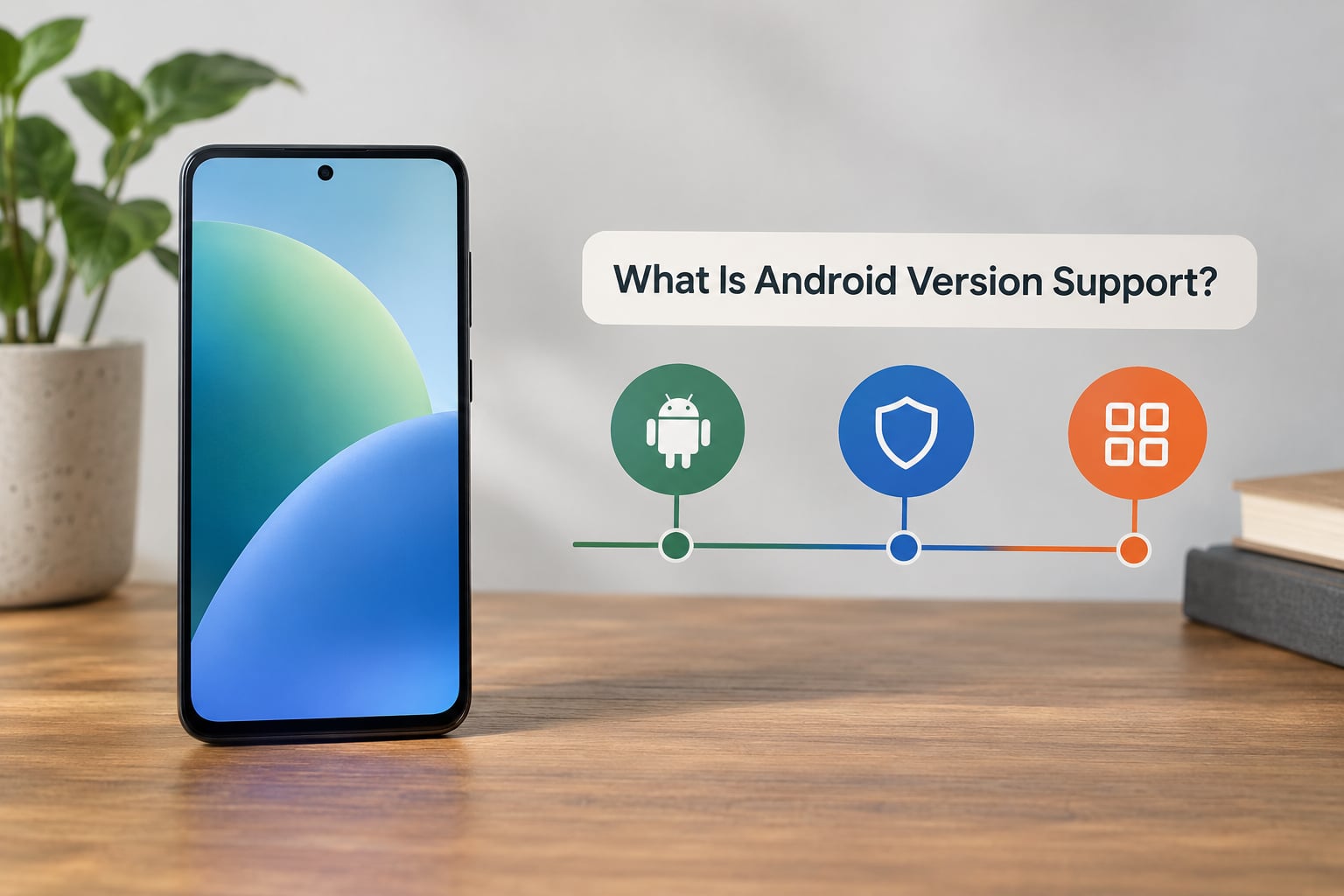
Android version support has three parts: major version upgrades, security patches, and the unofficial third clock, app compatibility. A phone can be finished with all three, still taking security patches, or be perfectly current while already looking old to app developers.
Major version upgrades
A major version upgrade takes you from, say, Android 15 to Android 16. It changes the interface, adds features, and raises the API level that developers target. Most brands promise a fixed count of these rather than a fixed number of years, so a phone shipping on the newest Android at launch can end its life on an older version than a phone that launched a year later on an older one.
Security patches
Security patches fix real vulnerabilities. They arrive on their own schedule, monthly or quarterly, and they matter more to most buyers than the big annual release. A phone that stopped getting major upgrades two years ago can still be among the most secure devices in your household if patches keep coming.
App compatibility
Nobody announces the end of this one. Developers quietly raise the minimum Android version their apps run on, usually an API level two or three releases old. Your phone keeps working fine right up until an app you rely on stops launching on it. In practice this is the clock that usually expires first.
End of support simply means the manufacturer has stopped all three. Some brands sell a paid extra year of security patches afterwards, which covers vulnerabilities but adds no new features and does not bring back dropped apps.
Does a Newer Android Version Always Make a Better Phone?
No. The version number tells you what shipped on the box, not how long the phone will last or how good it feels on day one. Two phones with the same Android version can differ by several years of remaining support, and an older-numbered device can still be the smarter purchase.
The first thing to check is the support window, not the software version. Buyers debating between two handsets with identical chips and screens often find a flagship with four years of patches listed beside a mid-range model with six, sometimes from the same brand on the same shelf.
Newer versions also gate features on hardware. On-device AI, richer photo processing, background effects and some biometric options need a capable neural processing unit and enough memory, so a phone that cannot be upgraded to the newest Android simply does not get those features. That is a hardware limit, not a software failure.
Newer software is not always smoother software. Major releases land on phones with the widest hardware spread in a brand’s range, so the least expensive device on the update list often carries more bugs and slower animations than the flagship. Waiting a few weeks after release usually gets you a more polished build.
Battery is the quieter decider. A phone with six years of updates still needs a battery replacement in year three or four, and that swap costs money, time, or both. Long software support is worth paying for, but it does not rescue a phone whose battery has already been drained by daily use.
How to Check Android Version Support Before You Buy
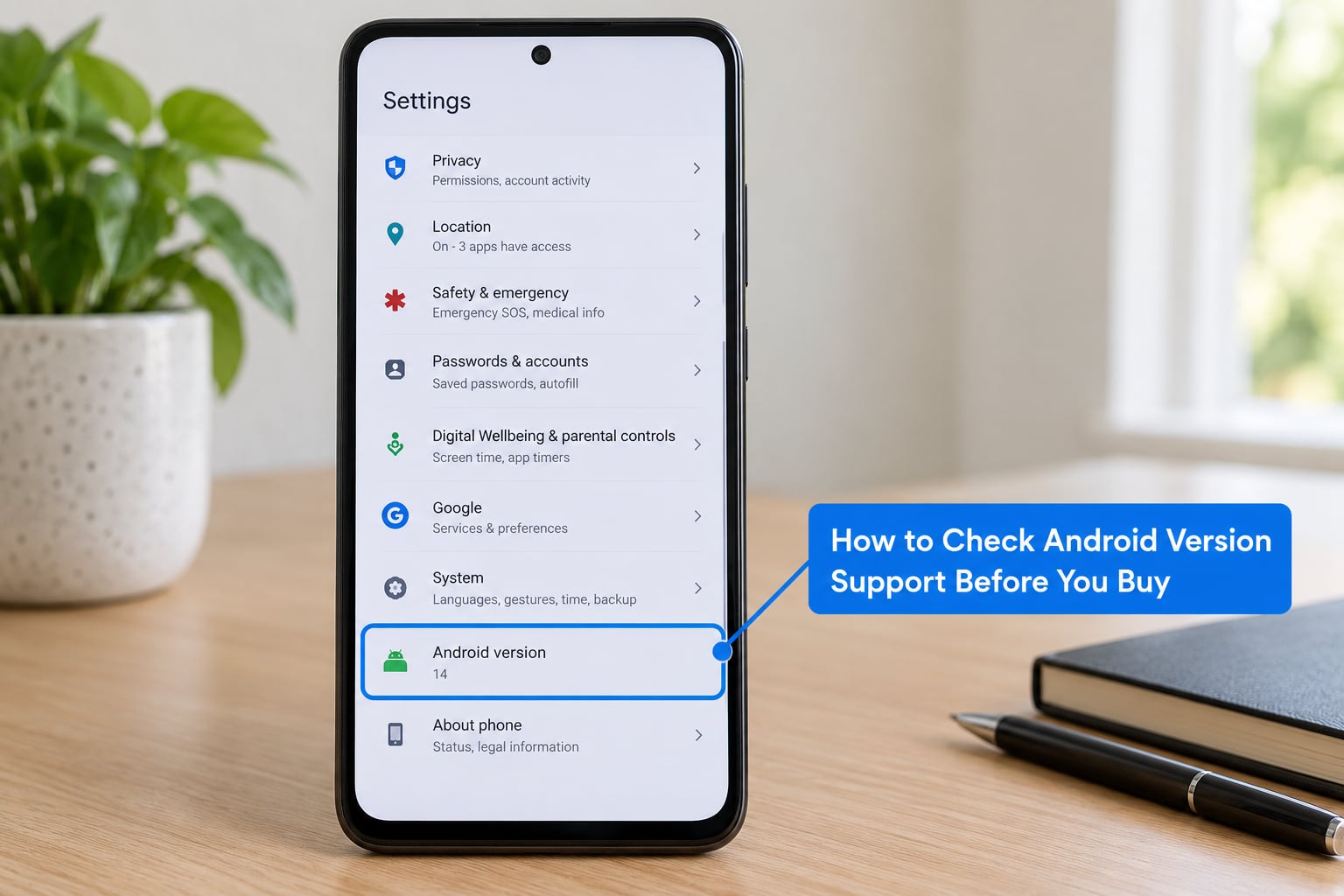
Checking support takes about two minutes per model if you know where to look. The work is verifying the exact model, finding the manufacturer’s stated policy for that model, and doing a small bit of date arithmetic.
Android version support checks to run on any model
First, confirm the exact model number in the settings, not the marketing name. Retailers and carriers list whole families on one page, and a family’s flagship and budget model can have completely different support windows. A model number sitting under About phone is what you search for.
Second, find the manufacturer’s own security and update policy page and look for that model. Brand-level summaries on third-party trackers are useful for orientation, but only the manufacturer states the commitment. If the model is not listed, assume the shortest window the brand offers, because that is usually what the budget tier receives.
Third, check whether the version you would be buying is the carrier variant. Carrier-branded models frequently update later and sometimes run a different schedule than the unlocked version sold direct, and the carrier’s own support page is the one that binds you.
Fourth, for a used phone, look up the launch year. Every arithmetic shortcut below depends on it.
Working out the end date yourself
The calculation is simple: add the promised years of updates to the year the phone launched. A handset launched in 2024 with a seven-year commitment reaches the end of its security window in 2031, no matter which Android version it shipped with.
Subtract what has already been used. A 2021 phone with a five-year promise was finished in 2026, so a unit bought from a refurbisher now has nothing left. A 2023 phone with a five-year promise still has two useful years ahead of it in 2026, which is often the better deal at a lower price than a new budget model with two years total.
Watch the version gap. If a brand promises three major versions and the phone launched on Android 14, the final upgrade is Android 16, while security patches may run a further year beyond that. Ask for both numbers separately, because “three years of updates” in marketing copy often means three years of security patches and fewer version jumps.
Forum users on r/AndroidQuestions ask this question more than almost any other, and the advice in those threads is consistent: the per-model page beats the brand average, every time. Buyers with a shortlist of three or four models should check each one before comparing anything else.
Where Can I Find My Current Android Version?
Every Android phone has an Android version and a security patch date, and the setting sits under About phone. The path differs slightly by manufacturer, so find yours in this list first, then use the settings search box as a fallback.
- Google Pixel: Settings, then About phone, then Android version. The security patch level is on the same page, labelled Android security patch level.
- Samsung: Settings, then About phone, then Software information, then Android version. One UI version and the full One UI version number sit on the same screen.
- Xiaomi, Redmi, Poco: Settings, then About phone, then Detailed info, then Android version.
- Motorola: Settings, then About phone, then Android version, with the patch date directly beneath it.
- OnePlus, Oppo, Realme: Settings, then About device, then Version details, then Android version.
If you cannot find the menu, search for Android version in your settings search field, or open the Play Store, tap your profile icon, choose Settings, then About, where the store reports the version your device is running.
One thing to note on an old or imported phone: the version shown in settings is the last one that was installed, not the newest one your hardware could accept. Plenty of capable phones are sitting two or three versions behind because the manufacturer stopped shipping updates, not because the device could not run them.
What Do Version Numbers and Android Upgrades Tell Buyers?
The version number tells you which generation of software a phone shipped with and, in turn, how many more upgrades it can realistically receive if the brand counts by versions. It also sets the API level, which is the number app developers actually test against.
Android versions in order, with their release years and where they stand in 2026:
| Android version | Released | Status in 2026 |
|---|---|---|
| Android 1.0 to 2.2 | 2008-2010 | Long finished, no devices in any support window |
| Android 2.3 Gingerbread | 2010 | Finished |
| Android 4.0 to 4.4 | 2011-2013 | Finished |
| Android 5.0 Lollipop | 2014 | Finished |
| Android 6.0 Marshmallow | 2015 | Finished |
| Android 7.0 Nougat | 2016 | Finished |
| Android 8.0 and 8.1 Oreo | 2017-2018 | Finished |
| Android 9 Pie | 2018 | Finished, the oldest version any current phone ships with |
| Android 10 | 2019 | Almost entirely past support; the minimum version Google requires new devices to ship with |
| Android 11 | 2020 | Very few devices still inside a security window; check the specific model |
| Android 12 and 12L | 2021-2022 | A handful of longer-support models still patching |
| Android 13 | 2022 | Patches continue on supported models |
| Android 14 | 2023 | Widely used on phones still inside their support window |
| Android 15 | 2024 | Current for many mid-range devices |
| Android 16 | 2025 | The current flagship version |
| Android 17 | 2026 | Rolling out to flagships through the year |
Two details behind the numbers. Android 10 is the floor Google set for new devices launching from 2024 onward, which is why so many budget handsets in 2026 look old on paper but are still supported. And the API level is what matters under the hood: Android 16 is API 36, Android 15 is API 35, and each step up is the line developers must cross before their app will install on your phone.
Rolling out in stages is normal, and a phone without the newest version a week after release is not a defective unit. Feature drops can also arrive between major versions, so a device two versions behind the current release is not necessarily stranded.
What Do Manufacturers Mean by Android Support?
When a brand says a phone gets five years of updates, it is compressing two different promises into one phrase. Serious buyers ask for the major version count and the security patch years as two separate numbers, because they are frequently different.
Typical published commitments by brand, as of October 2026:
| Brand | Major version upgrades | Security patches | Notes |
|---|---|---|---|
| Google Pixel | 7 on Pixel 8 and newer | 7 years | Pixel 6 and 7 lines received 5 years |
| Samsung Galaxy | 7 on recent flagships | 7 years | Many A-series and mid-range models get 4 versions and 5 years |
| Xiaomi, Redmi, Poco | 3 on most models | 4 years commonly | Some flagships extend both |
| OnePlus, Oppo, Realme | 3 to 4 | 4 years or more | ColorOS, OxygenOS and the Realme skin layer heavily |
| Motorola | 3, occasionally 4 | 4 years or more | Close to stock Android, so updates arrive quickly |
| Asus Zenfone | 2 to 4 by model | 5 years on recent flagships | Large gap between models in the same range |
| Nokia (HMD) | 3 | Up to 5 years | Near-stock software, slow-moving models |
| Huawei | Varies, often frozen | Limited, some via paid programmes | Several current models ship without Google Play services, which changes app support entirely |
The pattern across these numbers is that flagship promises are long and budget promises are short, sometimes by five years in the same brand. Google’s own developer dashboard shows how sharply the active device base clusters around recent versions, which is why the newest version is not necessarily the one your money should follow.
Some models still get a paid extended security window after the free period ends. That is genuinely useful for a business phone, and it is not a substitute for a normal support commitment on a personal device, because it adds no features and will not restore apps that have dropped support.
Why do updates arrive months after Google announces them? Google releases the open-source Android code, chipset vendors adapt it to their own chips, each manufacturer merges it with their custom interface, and carriers can add a final certification step. A thin layer reaches users faster. Google Pixels and Nokia phones, which run close to stock Android, are consistently first, while heavily modified interfaces such as One UI, ColorOS and HyperOS take longer because every visual and feature change has to be re-tested against each model.
How Long Should You Expect a New Android Phone to Last?
A reasonable new Android phone should stay genuinely useful for four years if the battery holds up, and for two or three if you treat it as a device you swap often. Software support usually outlasts the hardware, which is the uncomfortable part: a seven-year promise on a phone whose battery is worn out in year three is a promise the battery cannot keep.
Realistic expectations by age and condition:
| Phone age | Battery condition | Security confidence | App compatibility | Realistic outlook |
|---|---|---|---|---|
| Under 1 year | Near new | Full support window ahead | Everything runs | Safe choice for a long-term keeper |
| 1-2 years | 90% or better | Most of the window remaining | No issues expected | The sweet spot for value buyers |
| 3-4 years | 75-90% | Support may end within a year or two | A handful of demanding apps may drop | Fine with a battery replacement planned |
| 4-5 years | 70-85% | Usually past or ending now | Expect one or two apps to fail | Workable for calls, messages and photos |
| Over 5 years | Below 75% | No incoming patches | Banking and streaming apps likely blocked | Secondary or emergency device only |
Battery capacity is the number that moves with age, and it is the first thing to test rather than read. Owners of near-stock devices on r/Android report keeping phones well past the support window with no practical problems, provided patches kept coming. The pattern in those threads is consistent: a supported phone with a tired battery beats an unsupported phone with a healthy one, because the battery is replaceable and lost patches are not.
Can an Older Android Phone Run the Apps You Need?
Usually yes, for a while, and there is a straightforward way to find out before you buy. Open the Play Store on the phone and look at the listing for your three most demanding apps. Each listing states the minimum Android version required, and that number is the real answer to your question.
Several things limit an older device beyond the version label. Permissions and background activity limits get tighter with each release, so an app that was well behaved on an old phone can be squeezed on a newer one. Storage pressure matters too, since system partitions and pre-installed apps claim a growing share of the space. And hardware plays a role for anything processing video, running large games or doing on-device AI, where the software version is irrelevant if the chip cannot keep up.
Two categories break first. Banking apps routinely require a recent version plus device integrity checks, so they refuse to run on hardware they consider unpatched. Streaming services drop to a lower playback quality when the device falls out of the widevine trust list, which is why an old phone sometimes plays a film in a reduced resolution. Work devices with managed certificates are the third group, and they can be cut off entirely.
Testing takes five minutes. Install the app you cannot live without, sign in, and use it offline for a minute or two to confirm it launches and syncs. If it installs and runs, you have your answer for the apps that matter to you.
Is Buying a Used or Refurbished Android Phone Risky?
The risk is real but manageable, and most of it has nothing to do with the software version. The recurring worry in buyer forums is buying a model already a year or more into its support window, which is exactly what the launch-year arithmetic catches.
Battery wear is the top mechanical concern. A three-year-old phone at 88% capacity will feel noticeably worse than a new unit and may need a replacement within a year, so treat the battery as a line item rather than a detail. Check the reported battery health where the manufacturer exposes it, and on other phones read the battery usage and charging behaviour as a rough proxy.
Carrier lock and activation status come next. A phone still tied to another account is not yours to use, and a device that has not been cleanly activated can carry that history forward. Ask for proof the device is fully paid off and free of activation locks, and confirm the carrier and region it was built for matches where you live.
Then check for repairs. A replaced screen or battery is a normal, minor repair. A rebuilt mainboard or a new housing means water or impact damage that may not show up in a settings menu, and it usually ends the support question before the battery does.
Questions worth asking a seller before you pay: the exact model number, the launch year, the last security patch date, whether it is carrier-locked, whether the display or mainboard has been replaced, and the battery health reading. A seller who can answer all six is usually selling a device they know well.
Android Version Support for Different Buyers
How much support you need depends on what you do with the phone more than on anything the spec sheet says.
Light users who call, message and browse can comfortably stretch a phone past its support window, because the apps they rely on are rarely the ones that drop. Patch continuity still matters, since it is the only thing closing real vulnerabilities.
App-heavy users should work backwards from the app list rather than the brand. Check the minimum Android version required by the five or six apps you would miss most, then buy a phone whose support window comfortably outlasts them.
Privacy-conscious buyers should prioritise a long security patch window, since that is where the fixes to tracking and permission vulnerabilities land. A shorter feature window is a fair trade for two more years of patches.
Long-term keepers want the longest total commitment on the market, ideally seven years, plus battery service that is still available near the end of it. On this list Samsung flagships and Pixels are the only categories that reach that mark on a regular basis.
Budget shoppers get the biggest gain by avoiding old stock disguised as a deal. A two-year-old mid-range phone with four years remaining beats a new entry-level phone with two years total, and community consensus on r/Android strongly favours exactly that trade.
Tablet and foldable buyers should read the policy for their specific model, because these lines are updated less often than the phones inside them. A foldable released alongside a flagship may not share that flagship’s support window, and tablets frequently get fewer years than the phones in the same family.
Android Version Support and Upgrade Policy
Some Android phones are not upgradeable at all, and that is a legitimate reason to buy a different model. Carrier-locked handsets, some enterprise-managed devices, and phones sold in markets where the manufacturer never released the carrier variant are the usual cases.
The upgrade chain is worth understanding because it explains both the delay and the count. Project Treble, the framework that separates the Android system from the manufacturer skin, lets a device accept new versions more easily than the phones that predate it. Seamless A/B partitioning, the method that installs an update to a spare partition and switches over at reboot, shortens the install and makes recovery from a bad update far more reliable. Neither guarantees you will be current, but both are a good signal about how seriously a manufacturer treats the device.
Preinstalled software matters in the other direction. A phone shipped with an older version and never updated is the clearest sign its support window has closed, whatever the packaging claims. That is why checking the version on the actual handset beats reading a product listing.
When a brand offers a paid extended security programme, read what it covers. Vulnerability fixes only, no feature upgrades and no restored app compatibility. It extends the safe window for data held on the device without extending its useful life as a phone.
Frequently Asked Questions
How many Android version updates will my phone get?
It depends on the brand and the model tier, not on the phone itself. Recent Google Pixels and Samsung flagships get seven major versions and seven years of security patches, Pixel 6 and 7 models got five, and many mid-range phones from the same brands get three to four versions. Check the exact model number on the manufacturer’s security policy page, because a brand-level average hides the difference that matters to you.
Does the newest Android version mean a phone has the longest support?
No. A phone launched on the newest Android may be one or two versions behind a slightly older model by the end of its life, because brands promise a count of upgrades rather than a final version. The more useful question is when the security patch window closes. Add the promised years to the launch year, subtract the years already used, and you can compare any two models in seconds.
How do I know if an Android phone still receives security updates?
Open Settings, then About phone, and read the Android security patch level or the security patch date on the same screen as the Android version. A date inside the last few months means patches are still landing. If the date is more than a year old, support has almost certainly ended, and the manufacturer’s own model page will confirm the final patch date. A third-party support tracker is a useful cross-check.
Can a phone on an older Android version still run current apps?
Often yes, for a while. Each app listing in the Play Store states the minimum Android version, so the fastest test is to open the listings for the apps you rely on most and compare their requirements against the version in your phone settings. Banking apps, streaming services and work apps with managed certificates are the ones that stop first, and the gap between supported and unsupported is usually months rather than years.
Why do some Android phones take longer to receive updates?
Because an update passes through several hands. Google publishes the open-source Android code, the chipset vendor adapts it to their chip, the manufacturer merges it with their custom interface and re-tests every model, and a carrier can add a final certification step for its own variant. Phones running close to stock Android reach users fastest, while heavily modified interfaces such as One UI, ColorOS and HyperOS take longer to prepare and roll out.
What Android Version Support Should Buyers Prioritize First?
If you take one habit from this guide, make it the date calculation: launch year plus promised update years, minus the time already served. It converts a vague marketing claim into a date you can compare across brands in a few seconds.
Before you pay, confirm five things. Verify the exact model number, not the family name. Read that model’s entry on the manufacturer’s own support page and separate the version count from the security years. Check the last security patch date on the actual handset. Open the Play Store listings for the two or three apps you cannot live without. And factor in battery condition, because a long support promise on a worn battery is a promise the hardware will not keep.
Do all five and android version support stops being a marketing line you have to trust. It becomes a number you can verify, and the phone you choose will match how long you actually intend to keep it.