Short answer: for most people, neither panel type is better for your eyes — brightness matched to your surroundings and taking breaks matter far more than the display. For a flicker-sensitive minority, though, the difference is real and measurable, because most OLED phones dim with pulse width modulation (PWM) while LCD phones dim with a steady LED backlight.
Here is the honest breakdown of OLED vs LCD for phones and which is better for your eyes, plus how to check a phone’s flicker behaviour before you buy it.
Table of Contents›
- OLED vs LCD for Phones: Which Is Better for Your Eyes at a Glance
- What Is the Difference Between OLED and LCD Phone Displays?
- Which Display Is Easier on Your Eyes?
- Does OLED or LCD cause more eye strain at low brightness?
- Is dark mode actually easier on the eyes?
- What do blue light and night mode really change?
- The rest of the comfort picture
- OLED Phone Displays: Pros and Cons for Eye Comfort
- LCD Phone Displays: Pros and Cons for Eye Comfort
- OLED vs LCD for Phones: Which Is Better for Your Eyes?
- How to Check a Phone’s PWM Dimming Before You Buy
- How to Reduce Eye Strain With Either Phone Display
- Which Should You Choose?
- Frequently Asked Questions
- Is LCD or OLED worse for eyes?
- Is OLED good for the eyes?
- Is PWM dimming good for eyes?
- Why does my OLED keep flickering?
- Does OLED damage your eyes permanently?
- Are OLED monitors better for your eyes?
- Bottom Line
OLED vs LCD for Phones: Which Is Better for Your Eyes at a Glance
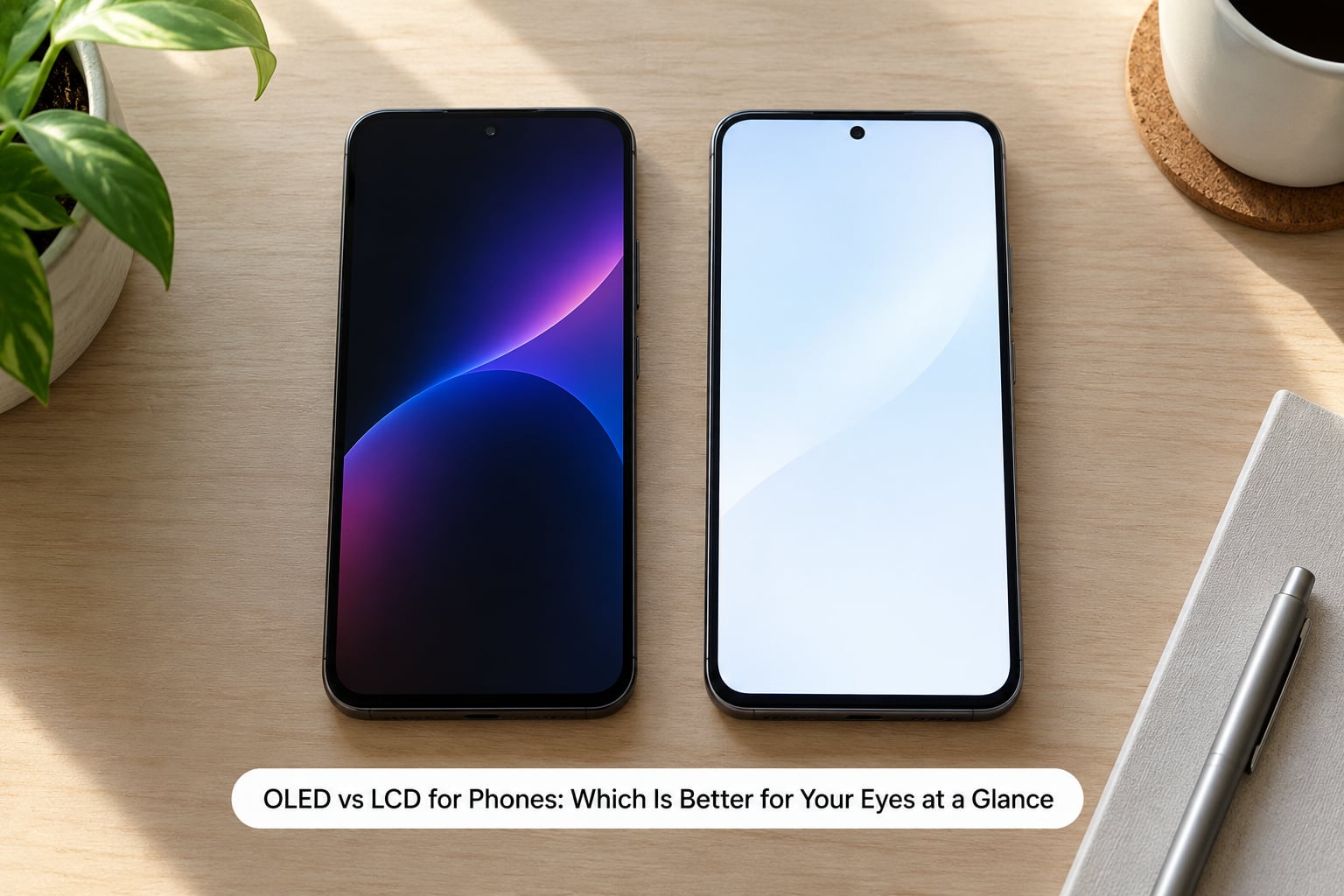
| Factor | OLED | LCD |
|---|---|---|
| Dimming method | Mostly PWM, pulsed on and off thousands of times a second | DC dimming on a steady LED backlight |
| Flicker at low brightness | Present on most phones; frequency varies by model | Effectively none |
| Black level | Off pixels produce true black | Backlight bleeds through, so black is grey |
| Contrast ratio | Theoretically infinite | Typically around 1000:1 to 2000:1 |
| Outdoors | Good on current flagships and mid-range AMOLED | Consistently readable, often no brighter now |
| Battery on dark content | Very efficient, black pixels draw almost nothing | Backlight runs constantly |
| Battery on bright content | Efficient, but PWM and panel driver add a little overhead | Constant backlight power draw |
| Long-term risk | Possible burn-in from static elements | Backlight bleed, uneven whites near edges |
| Cost | Common across all tiers, still premium at the top | Cheaper, common in budget and work phones |
| Best for | Dark-mode users, media, outdoor use, premium feel | Flicker-sensitive readers, tight budgets, long ownership |
One note on brightness numbers: a headline figure like 2000 nits is a short burst for HDR content or for scrolling in direct sun. Sustained outdoor brightness, sometimes labelled high brightness mode (HBM), is usually lower and is the number that matters when you are actually walking around outdoors. Judge any phone on the sustained figure, not the peak.
What Is the Difference Between OLED and LCD Phone Displays?
An LCD panel has a liquid crystal layer sandwiched between a polariser and an LED backlight. The backlight is on all the time, and the crystals tilt to block or let light through each subpixel. The panel never fully stops glowing, which is why blacks on LCD look grey in a dark room.
An OLED panel has no backlight at all. Every one of the millions of subpixels is an organic diode that makes its own coloured light, so switching it off produces a genuine black. That single design choice explains nearly every difference people notice: contrast, dark-mode quality, colour, viewing angles and how much power dark screens draw.
A quick naming fix, because it comes up constantly in search results: LED and LCD are not competing here. “LED display” almost always means an LED-backlit LCD, which is exactly the technology in your phone. Phone OLED is a different animal entirely.
Panel type by itself does not settle eye comfort. Two phones with the same panel can feel very different depending on how the manufacturer tunes brightness, colour temperature and dimming.
Which Display Is Easier on Your Eyes?
The honest answer splits into two halves: measurable factors, and things that mostly feel better without being measurably better.
Does OLED or LCD cause more eye strain at low brightness?
On measurable grounds, PWM phones have the edge on this one for sensitive users. To lower brightness, an OLED pixel switches on and off very fast and the eye integrates the pulses into a dimmer output. Most current phones push those pulses between roughly 200 Hz and 2000 Hz, with some newer models running far higher, though published measurements vary widely by model and maker.
Most people never perceive that flicker. A minority do, and for them the sensation is real: dryness, aching around the eyes, text that seems to shimmer, or a headache that starts within minutes and clears in a bright room. LCD avoids the mechanism entirely, which is why flicker-sensitive buyers tend to gravitate that way.
IEEE 1789 guidance is a useful reference point. It recommends modulation well above 3000 Hz for healthy light sources, and many of today’s phone panels sit below that line.
Is dark mode actually easier on the eyes?
Dark mode is genuinely less punishing in a dim room because bright white text on black produces less total light reaching your eye. On OLED it also saves power, since black pixels draw almost nothing.
There is a catch that forum users run into constantly: on a PWM phone in a dark room, the screen is also dimmed hard, which is exactly when flicker is at its deepest duty-cycle extremes. Some people feel worse, not better, in dark mode on OLED. On LCD, dark mode keeps the backlight on, so the text-to-background contrast grows without the light output dropping as far.
What do blue light and night mode really change?
Blue light does not damage your eyes in the way marketing implies. Screens do not emit enough energy to harm the retina, and the American Academy of Ophthalmology has not endorsed screen blue-light glasses for eye strain.
What is well supported is the sleep link. Melatonin release drops in the evening, and bright, blue-rich light in the last hour or two before bed can delay sleep onset. That is why night shift, night light and eye comfort mode exist, and why warming the screen after dark is worth doing on either panel type.
The rest of the comfort picture
Glare and reflection matter more than most buyers expect, especially with the glossy, curved glass typical of OLED flagships. A matte anti-glare film dulls highlights and reflections at some cost to colour punch, and in a bright room that trade is usually worth it. Refresh rate plays a role too: a 120 Hz LTPO panel tracks scrolling more smoothly than 60 Hz, which reduces the eye work of following motion.
OLED Phone Displays: Pros and Cons for Eye Comfort
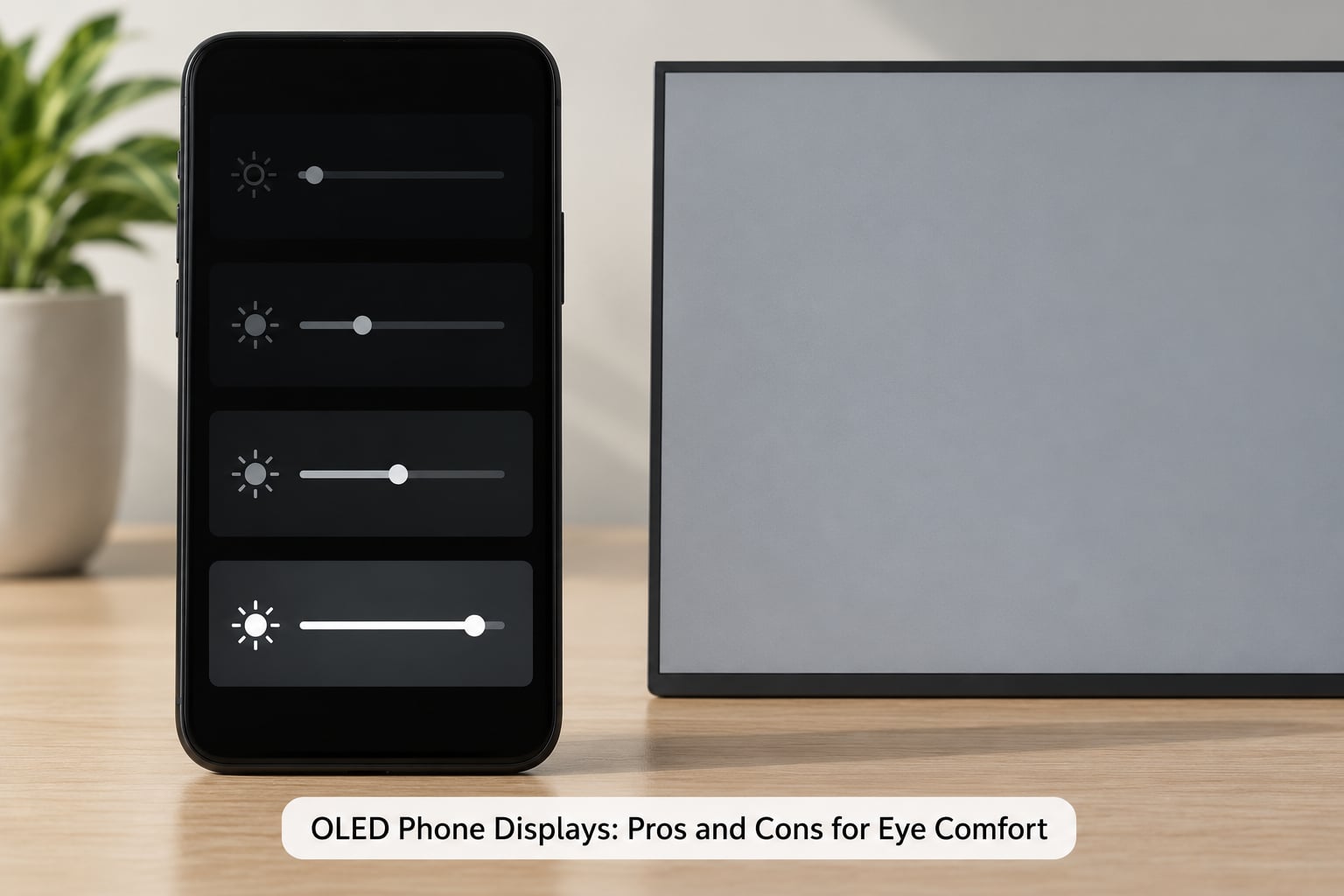
Where OLED wins on comfort, it wins clearly. Deep blacks in a dark room mean less veiling glare, and text on black reads without the halo that bright text on grey LCD gives off. Infinite contrast means photos and video look the way they were graded, and an always-on display can show a clock without lighting up the whole panel.
Power use in dark interfaces is another practical win. A scrolling social feed on black background draws far less current on OLED than on any LCD, so a phone that survives a workday of reading may do it on a smaller battery.
The trade-offs are real, and they cluster around three things:
- Flicker. Most OLED phones dim by pulse width modulation, and that flicker is deepest at low brightness. It is the reason flicker-sensitive users and a lot of parents skip OLED outright.
- Glossy glass. Flagship OLED panels are prone to reflections and fingerprints, which force higher brightness outdoors to stay readable.
- Burn-in. Modern panels are much better than early ones, and pixel shifting, logo dimming and refresh cycles help. Still, if you keep a static bright element on screen for years, OLED is the panel that can disappoint.
Two mitigations are worth knowing. Many Android phones now ship a DC-like dimming or flicker reduction toggle that keeps a constant current above a brightness threshold, at the cost of a little colour accuracy. And higher-frequency PWM in newer panels has closed much of the gap, though you have to check the specific model rather than assume.
LCD Phone Displays: Pros and Cons for Eye Comfort
LCD’s case for eye comfort is simple and honest: the backlight output is steady. No pulses, no duty cycle, nothing to react to. Dimming happens by lowering the voltage across the backlight, so brightness changes smoothly and continuously.
That stability also means LCD behaves predictably across the whole brightness range, which matters if you read a lot in changing light. There is no threshold where the panel starts flickering harder, and no DC-like dimming mode to hunt for in settings because it is already the default.
The downsides stack up the same way:
- Grey blacks. The backlight is always on, so black is a dark grey. That produces more veiling glare in a dark room than OLED does.
- Lower contrast. Around 1000:1 to 2000:1 against a theoretical infinity on OLED, which is visible in dark scenes and on dark interfaces.
- Backlight bleed. Cheap panels leak light along the edges, visible on white content in a dim room.
- Battery on dark content. The backlight does not care what colour is on screen, so dark mode saves much less than on OLED.
- Narrower viewing angles. Budget IPS panels shift contrast off-axis, which matters on a phone held at an angle in bed.
None of that is dangerous or uncomfortable on its own. It is a set of smaller, cumulative compromises, and it is why an LCD in a bright office often feels fine while the same phone in bed at midnight does not.
OLED vs LCD for Phones: Which Is Better for Your Eyes?
It depends almost entirely on who is asking. Split the question by reader and the answer gets clean fast.
Flicker-sensitive users: LCD, or an OLED with high-frequency PWM. This is the one group where the panel decision genuinely decides comfort. Symptoms show up fast — dry eyes, soreness, ache behind the eyes, tearing, or a headache within 20 or 30 minutes of picking up the phone — and they ease when you move somewhere bright.
Night readers in a dark room: OLED has the better black level, but PWM is worst in the dark, so flip the answer for sensitive readers. For everyone else, OLED with night shift turned on is the more comfortable screen at midnight.
Outdoor and sunlight use: Current OLED panels are legible in direct sun, and the old “LCD is brighter outdoors” claim is out of date on modern phones. Read sustained brightness figures, not peak numbers.
Dark-mode and media users: OLED. Better contrast, richer colour, better battery in dark interfaces.
Battery-conscious buyers: OLED wins if your screen time is mostly reading and messaging on dark interfaces; LCD wins if you watch video outdoors on a cell hotspot.
People keeping a phone five years or more: LCD carries no burn-in risk. For most people OLED burn-in is a non-issue in that timeframe, but if you leave a navigation map or a stock ticker pinned all day, it is a fair reason to stay with LCD.
Parents buying for a child: This is where I would be conservative. Children are more sensitive to flicker, and if the kid will use the phone for hours at a time, an LCD or a high-frequency OLED with a flicker reduction mode is the safer default.
How to Check a Phone’s PWM Dimming Before You Buy
This is the step almost every guide skips. Four ways to find out what a specific phone does, cheapest first.
- Look up the model, not the brand. Review sites such as RTINGS and Notebookcheck publish flicker measurements for individual phone models, including frequency and modulation depth at low brightness. Search the exact model name with “flicker” or “PWM”. Panel behaviour varies by model and even by region variant, so a flagship review does not tell you about a budget phone.
- Film the screen with your own camera. Point a camera with manual shutter-speed control at a phone screen at low brightness. With PWM dimming, fast shutter speeds catch dark bands or a scrolling moire pattern across the panel. A steady image suggests DC-like behaviour. This is a rough test, not a measurement, but flicker-sensitive users in community forums use it as a first filter.
- Check for a DC dimming toggle. On many Android phones look under Settings, Display, then for screen dimming, DC Dimming, Eye comfort or similar naming. Manufacturer names differ, so search the settings app for “dimming”. It is worth confirming the toggle exists and works rather than assuming it, since some devices limit it to a narrow brightness band.
- Test in person, in a dim shop corner if you can. Not reliable, but if symptoms appear within a minute or two at low brightness, that is information. Most people never notice anything, which is also information.
A community survey on r/PWM_Sensitive puts sensitivity at roughly 5% of people, with symptoms listed as dry eyes, soreness, migraine and nystagmus. Treat that as a self-reported community figure rather than a clinical prevalence, but it is a useful sanity check: if your symptoms match that list and they start within minutes of screen time, panel type matters to you.
How to Reduce Eye Strain With Either Phone Display
Settings and habits carry most of the weight here, on either panel.
- Match brightness to the room. The most effective single habit. A screen much brighter than its surroundings makes your pupil work constantly, and one much dimmer in a bright room makes you squint.
- Turn on adaptive brightness. Most phones now adjust automatically. Manual override at night helps if the auto logic keeps the screen too bright or too dim.
- Use night light or night shift after dark. It warms colour temperature, which helps sleep timing without doing anything to your eyes directly.
- Try the flicker reduction setting on OLED. If your phone has a DC-like dimming or eye comfort mode, switch it on and see whether symptoms change over a few days. Reports are genuinely mixed on whether it helps.
- Increase text size and bold weight. Smaller text forces squinting and precise focusing, which tires the ciliary muscle.
- Hold the phone further away. Closer than about 30 cm, the eye has to work harder to focus. Distance is a bigger lever than most people expect.
- Take breaks on a real schedule. Every 20 minutes, look at something 6 metres away for 20 seconds. This is the standard 20-20-20 habit and it addresses the real cause of digital eye strain: sustained near focus.
- Add an anti-glare or matte protector if you are outdoors a lot. It cuts reflections and lets you run the screen dimmer.
- Blink deliberately. Screen use cuts blink rate roughly in half, which dries the eye surface. Consciously blinking during scrolling helps more than it sounds.
If symptoms persist despite all of this, see an optometrist. Persistent dryness, soreness or headaches are worth a proper look, and an optician can also check for refractive errors that screen use tends to expose.
Which Should You Choose?
Choose OLED if you spend a lot of time in dark mode, watch a lot of video, want the best possible picture quality, or want the longest battery life on dark reading and messaging. Choose it if your phone lives indoors and indoors at night.
Choose LCD if you are flicker-sensitive, you are buying for a child who will use it for hours, you read in very dark conditions and prefer stable output, you want to avoid any burn-in risk on a phone you will keep a long time, or you are spending as little as possible.
There is a third path worth naming. Electronic ink and monochrome screens have almost no flicker and are genuinely readable in sunlight, and a cheap e-reader beats either panel for long book sessions in bed. For heavy night reading, that beats both.
One correction to a widespread belief: OLED TVs and most OLED monitors dim with near-DC methods at normal settings, so the flicker argument for phone OLED does not transfer to a television. Do not let that reassurance cancel out your phone symptoms either. Different panel, different dimming design.
Frequently Asked Questions
Is LCD or OLED worse for eyes?
For most people, neither is worse. For flicker-sensitive users, OLED is worse, because most OLED phones dim brightness with pulse width modulation while LCD uses a steady LED backlight. The other factors people blame on OLED, such as grey blacks or brightness, are comfort issues rather than health ones. If your eyes sting within minutes of low-brightness use, panel type matters.
Is OLED good for the eyes?
OLED is good for the eyes in several measurable ways: true blacks, effectively infinite contrast, less glare in a dark room and lower power draw on dark content. Its weakness is PWM flicker, which affects a minority of people who can feel it as dryness, aching or headaches at low brightness. High-frequency PWM panels and DC-like dimming modes have narrowed that gap considerably.
Is PWM dimming good for eyes?
PWM dimming is not automatically harmful. Pulses above about 3000 Hz, the threshold in IEEE 1789 guidance, are very unlikely to cause symptoms. The concern is phones pulsing at a few hundred hertz, especially at low brightness. Most people cannot perceive it at all. A self-reported community survey puts flicker sensitivity at roughly 5% of people, with dry eyes, soreness and migraine as common symptoms.
Why does my OLED keep flickering?
Almost always pulse width modulation doing its job. Below a brightness threshold, an OLED cannot dim smoothly without dropping below the visible-light threshold, so the panel pulses instead and your eye averages it into dimness. Two fixes help some people: switch brightness up so the panel stays in its constant-current range, or turn on the DC-like dimming, flicker reduction or eye comfort setting if your phone has one. If symptoms continue, see an optometrist.
Does OLED damage your eyes permanently?
No evidence supports that. Phone screens do not emit light energetic enough to harm the retina, and major eye-health bodies have not recommended blue-light glasses for eye strain. The well-supported concern is circadian rather than retinal: bright blue-rich light in the evening delays melatonin and pushes sleep later. For that, warmer screen colours after dark work as well as they do anywhere else.
Are OLED monitors better for your eyes?
Generally the opposite pattern from phones. Most OLED TVs and monitors dim with near-DC methods at normal settings, so they avoid the phone flicker issue that drives this whole conversation. Their concern is different: very low brightness, glossy reflections and viewing angle. If you are choosing based on flicker sensitivity, the panel size and dimming implementation matter more than whether the label says OLED.
Bottom Line
For most buyers in 2026, an OLED phone with high-frequency PWM or a working flicker reduction mode is the right default. You get better contrast, better dark mode and better battery on dark content, and the flicker concern is a solved problem for anyone who is not in the sensitive minority.
If you are in that minority — symptoms within minutes, easing in a bright room — an LCD phone removes the mechanism entirely and costs you very little beyond greyer blacks.
Before you buy, check four things in order: whether flicker bothers you at all, what the lighting is where you actually use the phone, how much you care about dark mode, and what your battery priorities are. Look up the specific model’s flicker measurement rather than trusting the brand on the box, then set the brightness to match your room and take breaks every twenty minutes. That last part helps more than the panel choice ever will.