To tell if a phone screen is damaged or just dirty, you need about a minute and a microfiber cloth. Wipe the glass, tilt the phone under a light at a shallow angle, then touch-test it. Dirt and grease lift off or shift with the angle; cracks stay locked in place, catch your fingernail, and often bring display symptoms with them.
Most people who panic about a “crack” are actually looking at a smudge, a worn oleophobic coating, or a scratched protector. A few minutes of checking saves a repair bill, and the checks are all things you can do without opening the phone or owning a single tool.
Table of Contents›
- What You Need
- How to Tell If a Phone Screen Is Damaged or Just Dirty
- Step-by-Step
- 1. Power Off and Disconnect the Phone
- 2. Inspect the Screen in Good Light
- 3. Clean Only the Surface
- 4. Check the Screen Protector and Case
- 5. Test the Display Behavior
- Common Mistakes
- Frequently Asked Questions
- Can I tell a cracked phone screen from a dirty screen?
- Does a scratched phone screen mean the display is damaged?
- What is the safest way to clean a phone screen?
- Should I replace a screen protector if my phone screen looks dirty?
- Is my screen cracked or just the protector?
- How long can a phone last with a broken screen?
What You Need
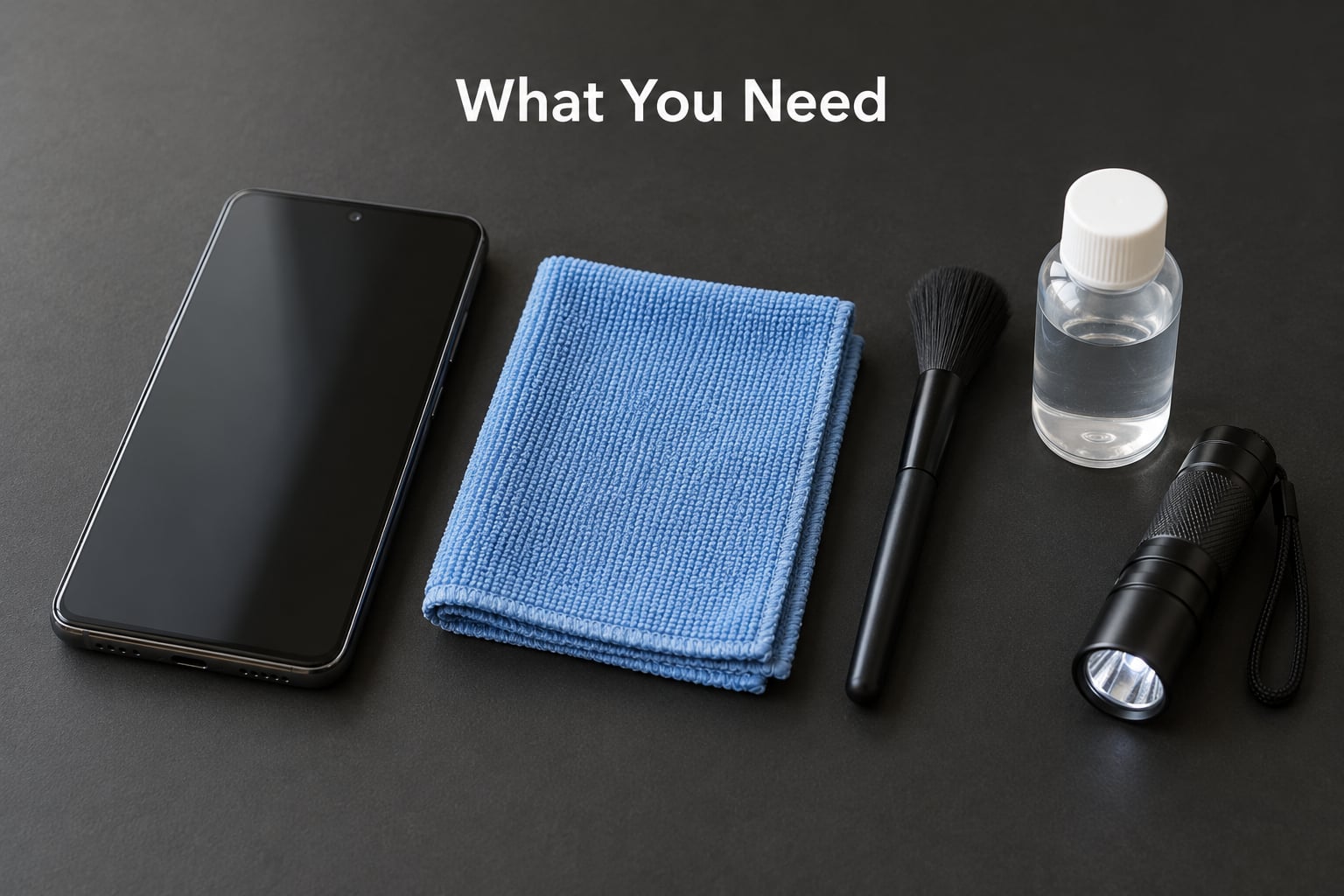
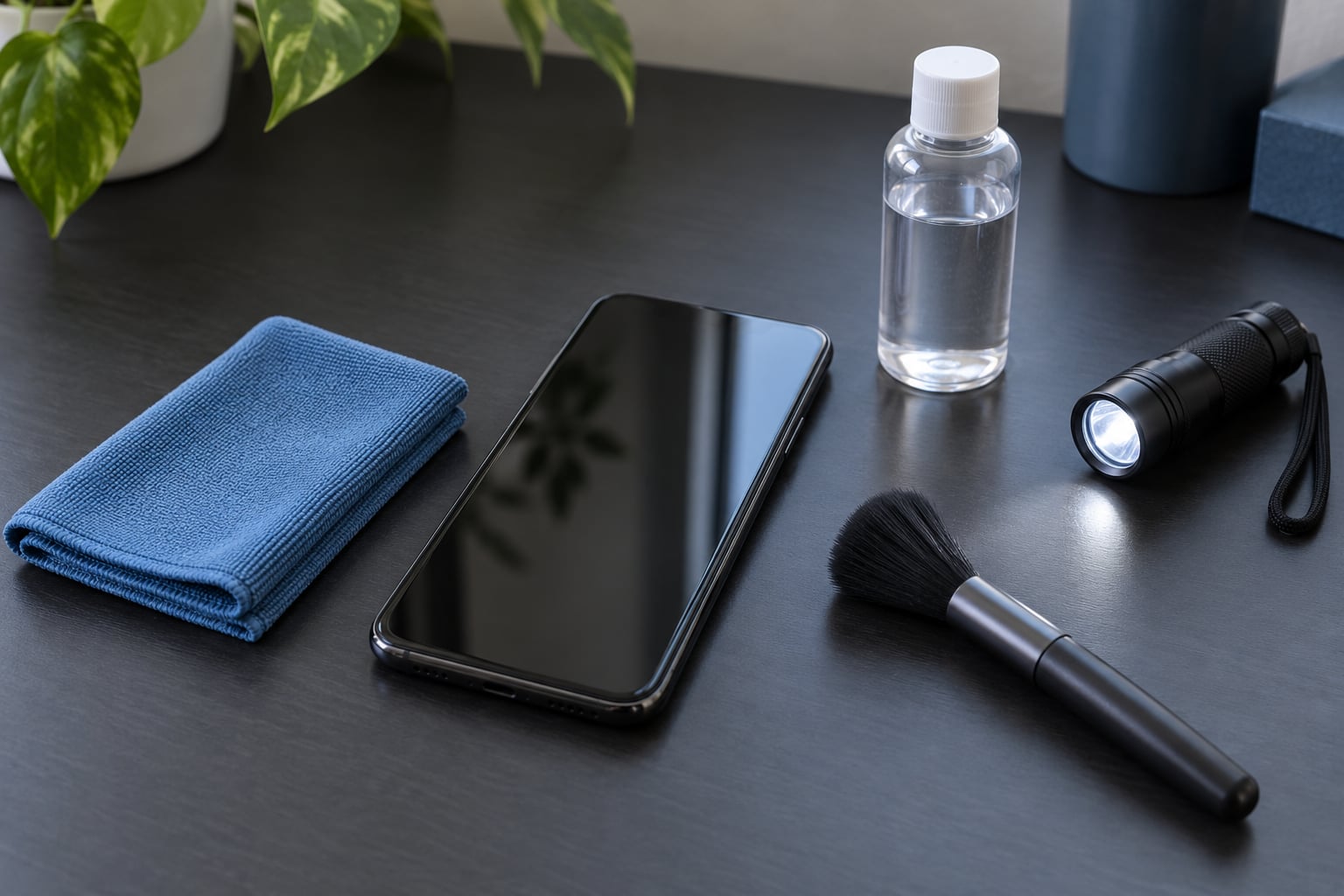
You need very little. A clean microfiber cloth is the one item that matters, plus good lighting and a flashlight or a lamp you can angle across the glass. A soft brush or a few puffs of canned air helps lift grit from the edges of the display and around the front camera cutout.
Optional is a small amount of 70% isopropyl alcohol diluted with water, used only if your phone’s manufacturer permits it and only on the cloth, never on the phone. Keep a flashlight app on your second device if you don’t have one, and work near a window where daylight can be moved across the screen.
Before you start, power the phone off and unplug it from any charger. If the glass is visibly shattered, handle it by the edges and avoid pressing on the front, since pressure on a cracked panel can push shards loose.
How to Tell If a Phone Screen Is Damaged or Just Dirty
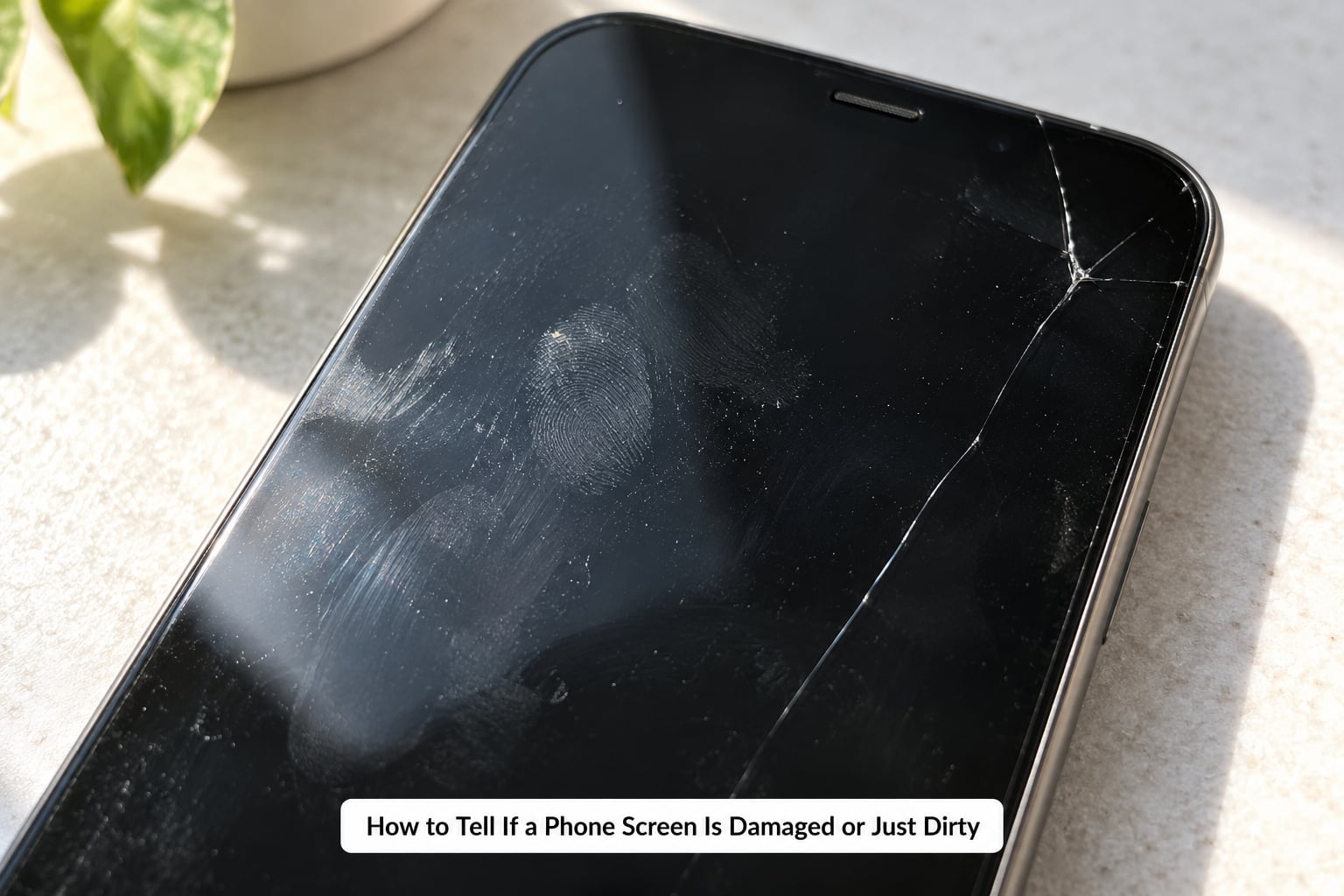
Dirt behaves one way and glass damage behaves another, and the difference shows up in how a mark reacts to light and touch. The table below is the fast version; the two tests under it are what actually settle it.
| What you see | What it usually means |
|---|---|
| Smudges, fingerprints, grease around the home area | Dirt. Disappears with a proper wipe. |
| General haze or a rainbow smear under bright light | Worn oleophobic or anti-glare coating, or grime worked into it. |
| Dust, lint, grit collected along one edge | Dirt. Lifts with a brush or cloth. |
| Thin, fixed line or branching web that never moves | A real crack in glass or in a protector. |
| Scratches that reappear after cleaning and light finger rubbing | Real micro-scratches, not dirt. |
| Black patch, colored line, flickering or dead spot | Display panel damage. Cleaning will not help. |
The wipe test is the first filter. Run the cloth over the mark with the screen on and off. Dirt moves, smears into the cloth, and leaves the glass clear. A scratch or crack stays exactly where it was, and after a wipe it often looks clearer than before because the contrast is gone.
The tilt test is the second one. Smudges, grease and protector haze shift, blur and sometimes vanish as you change the viewing angle. Cracks and scratches stay pinned to the same pixels no matter how you move the phone, which is why turning the screen off and holding it under a bright light at a shallow angle is such a good check.
Step-by-Step
1. Power Off and Disconnect the Phone
Lock the screen first so an accidental tap cannot open something, then fully power the device down and unplug it. On iPhones a swipe up to the lock screen and a hold on the side button handles it; on Android, holding the power button brings up the power options. The exact control differs by device, so check your own model’s manual.
Take the case off only if it comes away without force. If the case is glued down, worn or pinched the glass, leaving it on is safer than levering at the edges.
2. Inspect the Screen in Good Light
Hold the phone flat and move a lamp or window light across the glass at a shallow angle, watching how the reflection moves. Then shine the flashlight from the side, almost parallel to the screen. Side lighting makes hairline cracks catch the light as bright or dark fixed lines, something a flat overhead view usually hides.
Look along the edges, around the front camera cutout and the speaker grille. Cracks nearly always start at a corner, an edge, or a point of impact. Check for a lifted or peeling protector lip, and for a dark gap between layers that looks like a bubble along one side only.
Run a fingernail gently across anything suspicious. A crack your nail skates over sits on the protector surface. One your nail digs into means the fracture has gone through the protector into the screen glass beneath. This is the tactile check people on r/iphone and r/pixel_phones trust most, and for good reason: depth tells you the layer.
3. Clean Only the Surface
This is the step that settles the dirt question outright, and it is also the step where people cause new scratches. Start dry: use a soft brush or canned air along the edges, then wipe with a clean microfiber cloth in small circles with light pressure.
If grease remains, lightly dampen the cloth with water or manufacturer-approved diluted isopropyl alcohol. Dampen the cloth, never the phone, and keep liquid away from the speaker grille, camera openings, buttons and any crack that has separated the layers. A spray applied directly to the screen runs under the protector lip and can trip a liquid damage indicator that affects warranty claims.
Power the phone back on when the screen looks clean under the side light. If the mark is gone, you had dirt. If it is still there, it is in the glass, the coating or the protector, and the next checks narrow down which.
4. Check the Screen Protector and Case
A worn protector is the single most common reason people believe their screen is cracked. Look along the border for a raised lip that is slightly proud of the glass, a slightly different edge finish where a cutout is, or a hazy, scratched layer sitting between your finger and the display.
Tempered glass feels hard and glassy with a thin edge. Plastic film feels flexible, has a slightly rubbery edge, and usually shows bubbles, lifting corners or fine swirl scratches that a soft cloth will not fix. If you are not sure what is installed, check the original box and receipt, or ask the shop that supplied the phone.
Peeling a protector is usually safe, and it is the only way to see the display underneath. Warm the phone slightly, lift one corner rather than pulling straight across, and let the adhesive release slowly. If the protector is shattered, tape a piece of clear packing tape over it first to hold the shards together. Stop and leave it to a technician if the glass lifts with the film or if any white or green line shows on the display below.
One overlooked cause of false alarms: grit trapped under a cracked protector can block touch in patches and make a perfectly healthy digitizer look broken. Clean under the lip with a soft brush before you decide anything.
5. Test the Display Behavior
With the screen cleaned and the protector off if needed, open a note or drawing app and test the full surface corner to corner, not just where you normally tap. Draw a continuous spiral and lines that cross every edge. On iOS, an assistive-touch pointer can be useful for checking registration, since a broken digitizer often shows a touch offset or a crosshair that will not follow your finger.
Then check the picture. Look for a dead zone that will not respond, a patch that will not wake, ghost touches where phantom inputs register in your pocket, ink-like blotches spreading from a damaged area, vertical or horizontal colored lines, and uneven brightness or color across the panel.
Screen damage vs dirt is now answered. A clean screen with full touch and an even picture was dirty. A clean screen with a fixed crack, a dead spot or a line is damaged, and the layer it sits on decides what happens next.
Common Mistakes
The most common mistake is spraying anything directly onto the phone. Household glass cleaner, ammonia-based products and paper towels are the three things most often blamed for micro-scratches that later get mistaken for cracks. Liquid sprayed on the screen runs under the protector edge and into the frame, which is how liquid damage indicators get tripped by a routine clean.
Second is scrubbing. Grease needs a damp cloth and a few seconds of work, not pressure. Hard rubbing on a coated display wears the oleophobic layer faster than light rubbing, and once it is gone the screen collects fingerprints constantly and looks permanently smudged rather than dirty.
Third is assuming a protector makes damage impossible. Owners on Reddit describe tempered glass as barely different from running bare, and they are largely right: a protector can absorb one impact and take a spiderweb hit instead of the screen, but glass that has shattered once will not stop the next drop. Users also commonly peel off a cracked protector and find the display cracked underneath, which is why removing it early is worth doing.
Fourth is the stale advice that a working screen is a fine screen. It is not. Dust and moisture travel along a crack, sharp edges can cut fingers, the fracture spreads with pressure, and liquid reaching the internals ends the phone. Back up your data before any repair visit, and stop using a device whose glass is lifting or whose display shows lines or dark spreading.
To protect a replacement screen, use a case with raised edges, match the protector cutouts to the camera and speaker, and check brightness uniformity on a plain white image after any new glass goes on. Keep grit out of the pocket, and if you are buying a used phone, run the full touch and tilt checks before you pay.
Frequently Asked Questions
Can I tell a cracked phone screen from a dirty screen?
Yes, and the fastest way is the wipe test. Dirt, fingerprints and grease soften or disappear with a damp microfiber cloth, while a crack stays fixed in the same spot and often looks clearer after wiping. Then tilt the phone under a side light: smudges shift or vanish with the angle, cracks do not. A crack may also catch your fingernail or sit under a raised protector edge.
Does a scratched phone screen mean the display is damaged?
Not always. A scratch can be cosmetic and stay on the surface of a protector, and light scuffs on the cover glass do not affect the picture. Signs the damage has reached a real layer are scratches that remain after cleaning and light rubbing, a fingernail that catches in the line, a dead touch zone, ghost touch, or colored lines and dark patches on the display itself.
What is the safest way to clean a phone screen?
Power the phone off and unplug it, then use a soft microfiber cloth. Start dry, add a little water or manufacturer-approved diluted isopropyl alcohol only if needed, and put the liquid on the cloth rather than the screen. Keep moisture away from openings and cracks. Avoid paper towels, abrasive pads, ammonia-based glass cleaner and household sprays, which scratch coatings and can trip a liquid damage indicator.
Should I replace a screen protector if my phone screen looks dirty?
Yes, if the grime is on the protector rather than the display. Cloudiness, trapped bubbles, swirl scratches and lifted edges make a phone look badly damaged when the screen underneath is fine. Remove the protector carefully with slow lifting from one corner, warming the phone slightly first, and tape over shattered glass so shards stay put. Then inspect the display before fitting the new one.
Is my screen cracked or just the protector?
Check three things. Run a fingernail across the mark: a nail that skates over sits on the protector, a nail that digs in means the screen glass is cracked too. Look along the edges for a raised lip or a gap between layers. Then turn the screen off and look under a bright light, since protector cracks fade while a real crack stays sharply visible and follows the pixels exactly.
How long can a phone last with a broken screen?
A purely cosmetic crack over an otherwise healthy panel can last, but it is not risk-free. Moisture and grit follow the fracture, sharp edges can injure fingers, and pressure can spread it. Stop using the phone if the glass is lifting, if liquid reaches the internals, or if lines, dark spreading or dead touch zones appear. Back up your data, then decide between a protector, a glass-only repair or a display replacement.
Start with the wipe. If the mark lifts off, you had dirt and you can stop there. If it stays, go through the tilt test, the fingernail test and the touch-and-picture check, and you will know whether you are looking at a protector, cover glass, the touch layer or the display panel itself. That answer decides whether you need a new protector, a repair quote, or nothing at all.