Most phones regulate their own incoming power, so a cheap or mismatched charger usually just charges slowly rather than cooking the battery — real damage comes from sustained heat, unstable output, or a physically damaged cable and port. To check if a charger is damaging your phone, you watch charging behavior, inspect the hardware closely, then compare the suspect setup against a known-good one. The whole process takes about fifteen minutes and needs no tools beyond a flashlight.
The reason this matters: your phone’s charge controller is a safety net, not a guarantee. It caps voltage and current, but it cannot protect the battery from a charger that runs hot for hours, or from a cable whose insulation has cracked and whose internal conductors are arcing. Heat is the real enemy of lithium-ion cells, and heat is exactly what a failing adapter produces.
Table of Contents›
- What You Need
- Step-by-Step: How to Check If a Charger Is Damaging Your Phone
- Step 1: Look for warning signs that the charger is damaging your phone
- Step 2: Inspect the charger, cable, and phone port
- Step 3: Compare charging behavior with a known-good setup
- Step 4: Test power output when you have a USB meter
- Step 5: Monitor the phone after the test
- Common Mistakes
- Frequently Asked Questions
- Is it normal for my phone charger to get hot?
- Why is my phone charging slowly with a new charger?
- Are third-party and counterfeit chargers safe for my phone?
- Can a wireless charger damage my phone battery?
- Is it safe to leave my phone charging overnight?
- What does a swollen phone battery mean and what should I do?
- Conclusion
What You Need
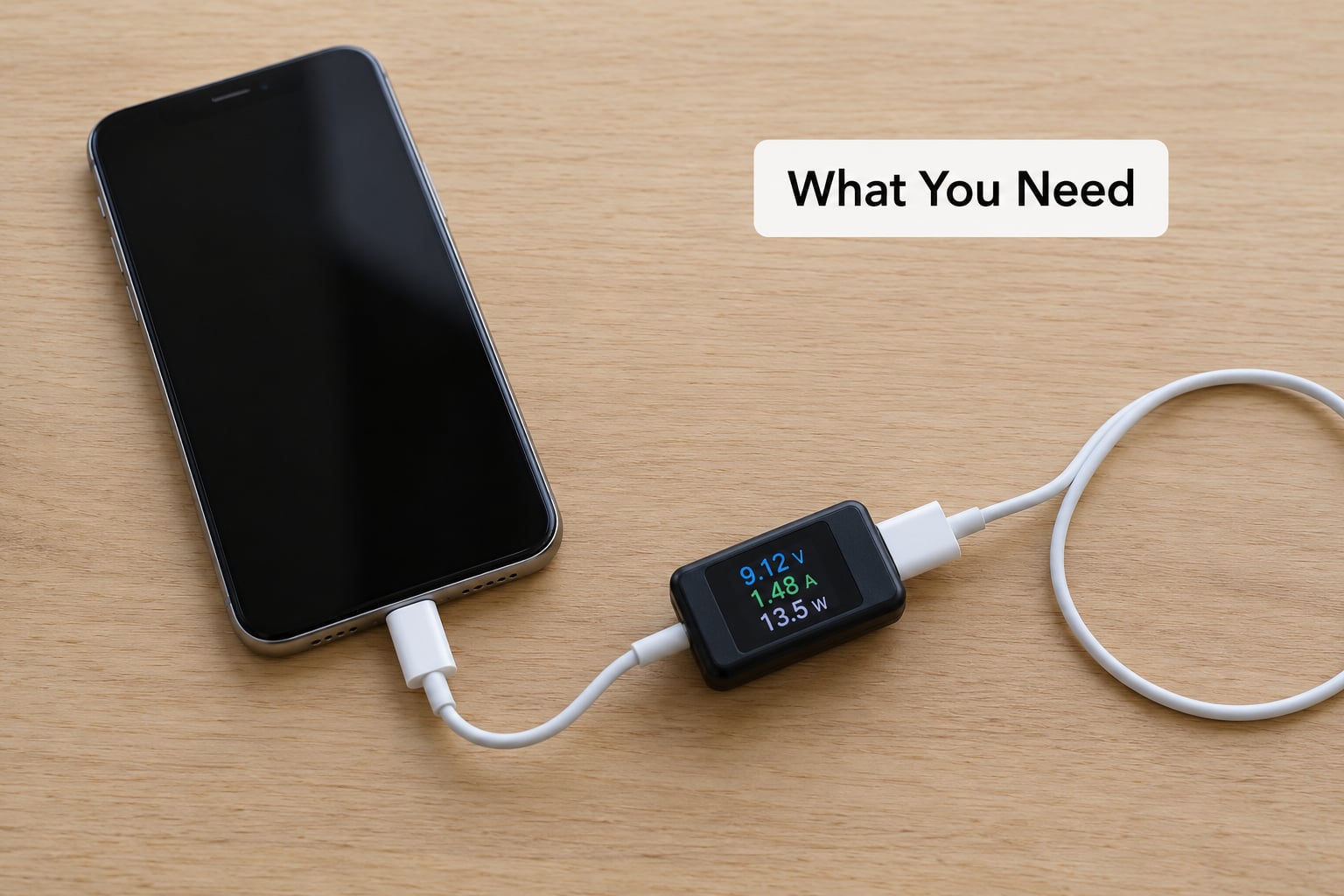
You need very little. The required items are your phone, the charger and cable you suspect, and a second charging setup you already trust — a different known-good cable, or a different outlet on the same charger. That second setup is what turns a vague worry into a comparison.
A flashlight or bright lamp helps more than people expect. Lint, pocket fluff and crumbs inside a charging port are the single most common cause of intermittent charging, and they are invisible unless light hits them at the right angle.
Optional but useful items:
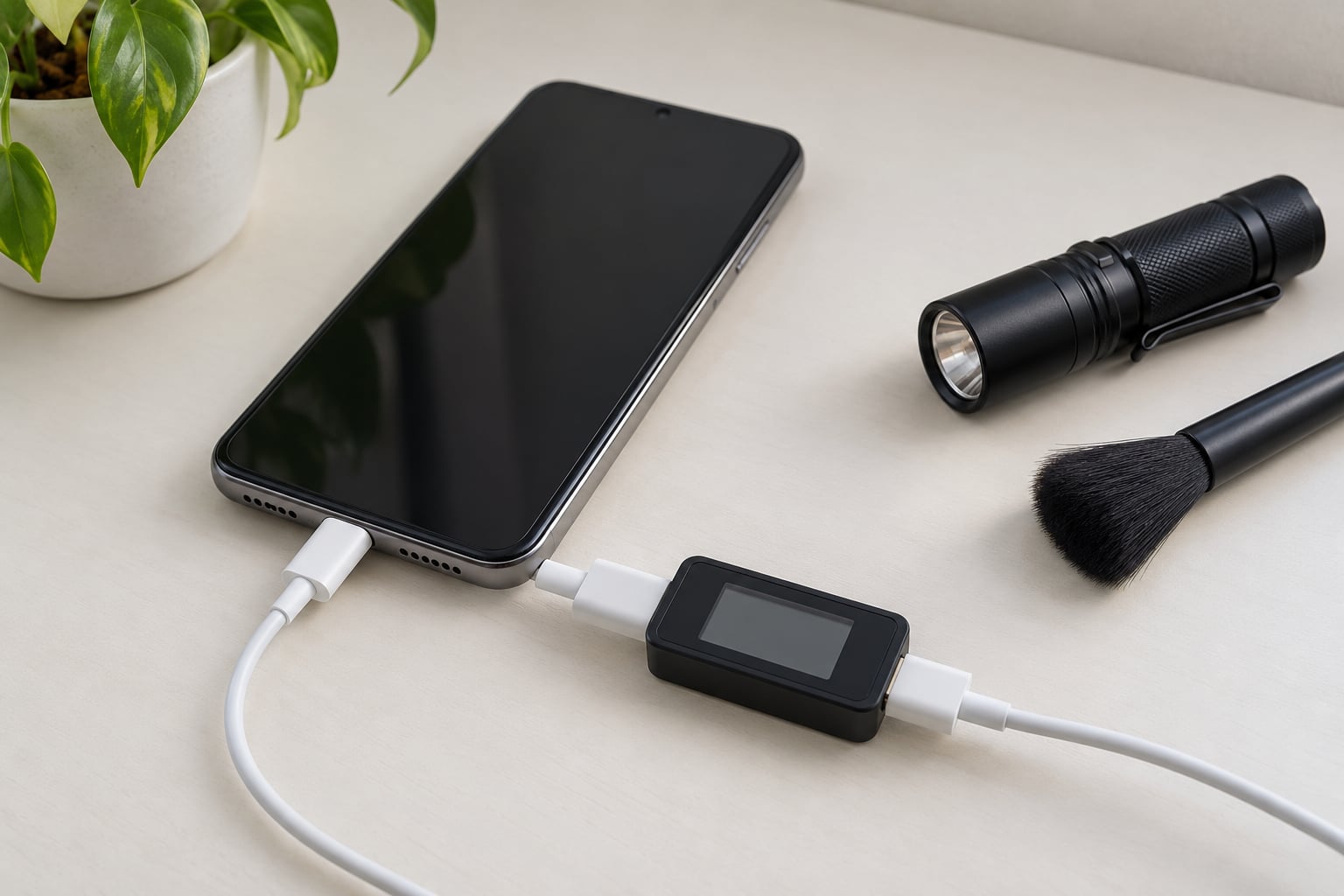
- A USB power meter — the inline USB trigger meter type, which sits between the charger and the cable and shows negotiated voltage, current and wattage. This is a low-voltage DC tool that reads what the charger is actually delivering.
- A soft brush or wooden toothpick for the accessible part of the charging port. Never anything metal, never a powered screwdriver.
- The manufacturer’s charging spec — the output rating printed on the charger block or in your device settings tells you what the charger is supposed to deliver, so you have something to compare a meter reading against.
Two hard safety rules apply to everything below. Do not open the phone; the battery, logic board and thermal shielding are not user-serviceable, and a punctured lithium-ion pouch cell is a fire risk. Do not probe exposed mains wiring or use a meter with exposed terminals on a wall adapter; a probe slip into a live socket is how people get electrocuted. Electrical work beyond swapping an intact charger is for a qualified technician.
Step-by-Step: How to Check If a Charger Is Damaging Your Phone
Work through the steps in order and stop at the first one that explains the problem. Each step tells you what to do and what result means the suspect part is faulty.
Step 1: Look for warning signs that the charger is damaging your phone
Unplug the phone and look at it and the charger before plugging anything back in. These are the signs that mean the charger has already done damage or is about to:
- Excessive heat — a charger that is too hot to hold comfortably for more than a few seconds after connecting, or a phone whose back or charging area becomes uncomfortable within minutes.
- A swollen or deformed battery — the screen lifting at the edges, a back panel that no longer sits flat, or the phone rocking on a flat table. Stop here and go to Step 5’s shutdown instructions.
- Flickering or repeated connection drops — the charging icon appears and disappears, or charging restarts from scratch repeatedly.
- A burning smell, scorch marks, discoloration or buzzing — any one of these means the adapter is failing internally.
- A charger that is hot while unplugged — residual heat with nothing attached points to a fault inside the unit, not to normal load.
- Slow charging that appeared suddenly — the same phone and charger used to top up in 30 minutes and now takes two hours with no software update in between.
A little warmth is normal. Modern phones routinely run warm under fast charging, especially in a case, in a hot car, or while the screen is on. The distinction is duration and context: warmth that fades once the phone is unplugged is normal, heat that builds while idle or that you cannot touch is not.
Step 2: Inspect the charger, cable, and phone port
Unplug everything and examine it under good light. Most charger problems are mechanical and visible once you actually look.
On the charger and cable, check for loose or bent plug pins, cracked or split insulation, a jacket that kinks sharply a few centimeters from the connector, exposed wire strands, discoloration at either end, or a connector that no longer clicks snugly into the phone. Cables fail from the inside first — the micro-fractures in the conductors break contact while the outer jacket still looks fine, which is why a cable that works only at a certain angle or only when you hold the plug is a fault, not a quirk.
On the phone, shine the light straight into the port with the phone unplugged and tilted. Look for pocket lint packed against the contacts, grit, a connector that sits loose in the socket, and pins that are visibly bent or pushed inward. A port with bent contacts needs repair, not cleaning — and if the connector will not stay in, the port itself is the fault.
Clean only the accessible opening. Power off the phone, use a dry soft brush or a wooden toothpick to lift out visible lint, and stop if you feel resistance. Never push a pin or a metal tool into the port, and never clean a port while the phone is plugged in.
What this step tells you: if you find visible damage on the cable or adapter, replace it. The diagnostic question shifts from “is this charger hurting my phone” to “has this charger already hurt my phone,” which Step 5 answers.
Step 3: Compare charging behavior with a known-good setup
This is the isolation step, and it is what settles most cases. Charge the same phone, from the same starting level, in the same spot, using a charger and cable you trust — and ideally from a different wall outlet.
Record four things during each charge: how long it takes to reach a useful level, how warm the phone and adapter get, whether the connection stays stable, and whether anything unexpected happens on screen. Waiting for a full charge tells you more than a five-minute check, because charging speed changes in phases.
How to read the comparison:
- Suspect setup slow or unstable, known-good setup fine — the suspect charger or cable is the cause. Both the outlet and the phone are now cleared.
- Both setups slow — the problem is the phone’s port, battery health, or background usage, not the charger.
- Both setups unstable in the same way — that points to debris or damaged contacts in the port, which Step 2 inspection should have found.
- Suspect setup fine, known-good setup also fine — nothing is wrong with either. Your original worry was probably normal warm-up behavior.
One thing to keep in mind while comparing: fast charging only engages when the phone, the cable, the charger and the power source all support it. A phone that fast-charges with one cable and trickles with another is telling you about cable capability and connector wiring, not about damage. Forum users across tech communities consistently report that a cheap cable charges slower rather than harms the device, because the phone’s own controller limits what it will accept.
Step 4: Test power output when you have a USB meter
If you own a USB power meter — the inline trigger meter kind — you can read what the charger actually puts out instead of guessing. Plug the meter between the charger and the cable, connect the phone, and watch the display for the first minute or two.
Compare three readings against the charger’s printed output rating and the phone’s supported input: the voltage, the current, and the resulting wattage. A charger advertising 20W that the phone pulls at 6W is not broken — the phone has decided what it will accept, and that negotiation is normal.
Readings move constantly. Expect a high-current phase early in the charge, then a drop as the phone tapers off near full. What you are watching for is instability, not a number: voltage that swings widely, current that jumps to zero and back without the cable being touched, or readings that collapse whenever you flex the cable near a connector.
Two warnings. Use a meter rated for USB low-voltage DC only, and never a tool that exposes mains terminals or forces a voltage onto a line — a cheap trigger meter that injects voltage is a different tool from a reader, and plugging it into an adapter can destroy it. And do not use this meter to test a wall adapter with the case opened or with the cable cut. A damaged charger gets replaced, not diagnosed.
Result: stable, phase-appropriate readings mean the charger is doing its job and your phone is limiting what it takes, which is the healthy case. Erratic readings, or readings that swing with a gentle cable flex, mean replace the cable or the adapter.
Step 5: Monitor the phone after the test
Stop using the suspect charger, then watch the phone for the next day or two. Check it a few times rather than constantly — every few hours while it sits idle is plenty.
Look for swelling, a screen that no longer sits flush, an unusual odor, a battery that drops percentage with nothing running, heat while the phone is idle, or shutdowns at levels well above zero. If the phone is behaving normally the whole time, the charger was uncomfortable but probably not the cause of lasting harm.
If a swollen battery, smoke, a chemical odor or a persistent shutdown appears, power the phone off and stop charging it entirely. Do not put it in a freezer, do not charge it to “drain” it, and do not press the swelling flat. A swollen lithium-ion cell is a fire hazard and needs professional service or an approved battery replacement. Same goes for any burnt smell or scorch mark on the adapter itself — unplug it at the wall and stop using it.
None of this requires you to keep charging on the suspect setup to confirm a fault. Confirming a fault means the hardware behaves differently with known-good accessories, not repeated exposure to the one you suspect.
Common Mistakes
Almost every charger problem I see traced back to one of these habits. Each has a simple fix.
- Leaving a suspect charger connected “just to see.” The test is the comparison in Step 3, not repeated exposure. Fix: unplug it, use the known-good setup, and let the phone cool.
- Keeping a visibly damaged cable because the phone still charges. A jacket that is cracked near the connector can expose conductors any day, and intermittent contact inside the cable is exactly what damages charging ports. Fix: replace the cable.
- Treating all warmth as dangerous. Warmth that fades after unplugging is normal thermal behavior under load. Fix: judge by duration and context, not temperature alone.
- Testing exposed wiring or probing inside a charger with a meter. This is where people get seriously hurt. Fix: only measure output at the cable end with a purpose-built USB meter, and leave opened adapters to a technician.
- Using a mismatched fast charger and blaming the phone. Pairing matters more than wattage: the phone, cable, charger and power source must agree on the standard. Fix: match the charger’s output rating to what the device documentation lists as supported.
- Charging through a swollen battery to “balance” it. A swollen cell is already a safety problem and more charging makes it worse. Fix: power off, stop charging, arrange service.
A few prevention habits worth keeping: use chargers and cables with visible certification marks from a body you recognize, and treat a missing or unfamiliar mark as a reason to buy elsewhere. Match the power standard the device supports rather than chasing the highest wattage number. Replace cables when the jacket cracks or kinks near the connector, since that is the point where failure starts. Keep the charging port clear of pocket debris, and keep long charging runs out of a hot car or direct sun, since ambient heat compounds everything the charger adds.
Frequently Asked Questions
Is it normal for my phone charger to get hot?
A little warmth is normal, especially during fast charging, while the screen is on, or inside a thick case. It should stay merely warm and cool down within minutes of unplugging. Heat that makes the charger uncomfortable to hold, builds while the phone sits idle, or arrives together with a burning smell means a fault. In that case unplug it at the wall and stop using it.
Why is my phone charging slowly with a new charger?
Slow charging with a new charger usually points to the cable, not the adapter. Low-spec cables often lack the wiring needed for fast charging, so the phone falls back to a lower rate. A dirty or partly blocked charging port also restricts charging. Test with a known-good cable and a different outlet, then clean the accessible part of the port with a dry soft brush.
Are third-party and counterfeit chargers safe for my phone?
Most reputable third-party chargers are safe, because your phone’s charge controller decides what to accept and a quality charger delivers what it promises. Counterfeit units are the real risk: poor insulation, missing certification marks and no thermal cutoffs. Look for a certification mark from a body you recognize, check the casing and weight for telltales, and never use a charger with a cracked shell or a smell of burnt plastic.
Can a wireless charger damage my phone battery?
A compliant wireless charger should not damage your battery. The concern is heat: many phones run several degrees warmer on a wireless pad than on a wired connection, and sustained high temperature is what ages cells. Signs of trouble include a pad that is very hot to touch, a phone that will not cool after you lift it off, or a case that has warped. Remove the case and give the phone room to breathe.
Is it safe to leave my phone charging overnight?
Mostly yes. Modern phones stop drawing meaningful current near full and many delay charging overnight, but staying plugged at 100 percent keeps topping the cell up, which adds mild long-term stress. Charging in a warm room or under a pillow makes it worse because heat gets trapped. If you charge overnight, use a flat surface, remove the case, and skip cheap chargers you would not trust during the day.
What does a swollen phone battery mean and what should I do?
A swollen battery means gas has built up inside the cell, usually from age, heat or repeated deep discharge. The screen may lift at the edges, the back may bow, and the phone will rock on a flat table. Stop charging, power the phone off, and avoid pressing the swelling flat. Do not freeze it or drain it deliberately. Take it to an approved service center for battery replacement, because a swollen cell is a fire risk.
Conclusion
If a charger produces any of the warning signs above — sustained heat, a burning smell, scorch marks, or a swollen battery — unplug it at the wall and retire it. Do not test it further to confirm the fault.
Otherwise, isolate the problem: inspect the cable and port under a light, then charge the same phone with known-good compatible accessories and compare speed, heat and connection stability. A USB power meter will tell you whether the output is stable, if you own one.
And if the phone still behaves oddly, or the battery has visibly changed shape, have the phone or its battery inspected by a professional rather than continuing to experiment with the charger.