A scam text message, also called smishing (SMS phishing), is an unexpected text sent to steal your information, money or account access by getting you to tap a fake link, share a one-time code, or send payment. Figuring out how to tell if a text message is a scam takes about five minutes of practice and eight checks you can run before you tap anything.
The reason these work so well is that the message arrives on the phone already in your pocket, from a name that looks official, talking about something you actually care about: a package, a locked account, a toll fine, a family emergency. The whole design is to make you act before you think.
One thing worth saying up front, because it worries people more than anything else: receiving a text cannot hack your phone. Simply reading a scam message does nothing to your device. The risk starts the moment you tap a link, install something, hand over a code, or send money.
Last updated for 2026. Scam wording changes constantly, so treat the checks below as habits rather than a word list to memorize.
Table of Contents›
- What You Need Before You Start
- Step-by-Step: Eight Checks Before You Tap Anything
- 1. Check whether you started the conversation
- 2. Inspect the sender’s name and number
- 3. Look for pressure, threats and unusual requests
- 4. Examine links without opening them
- 5. Check for a plausible but mistyped domain
- 6. Verify through an official channel
- 7. Notice what the message does not provide
- 8. Decide on a safe response
- Common Mistakes That Cost People Money
- Frequently Asked Questions
- Can someone I know send me a scam text?
- Should I reply to a suspicious text message?
- What should I do if I clicked a scam link?
- What should I do if I shared a verification code?
- How do I report a scam text on Android or iPhone?
- Quick Scam Check: What to Do First
What You Need Before You Start
No special software, no paid app, no security subscription. Everything below runs inside the Messages app you already have, plus the ability to slow down for two minutes.
- The original message, unopened and unforwarded, so you can look at the whole thread.
- A way to reach the company through an official channel you find yourself: the app on your phone, the website you type in yourself, or a support number printed on your card or statement.
- Enough time to ignore the countdown. The deadline in the message is part of the trick, not a real deadline.
One platform note. The menu paths below assume the default Messages app on current iPhone and current Android, including Google Messages and Samsung Messages. Third-party apps like WhatsApp, Signal or Telegram handle link previews and reporting differently, so look for a Report or Block option inside the conversation rather than in Settings.
Step-by-Step: Eight Checks Before You Tap Anything
1. Check whether you started the conversation
The easiest first filter is whether you were expecting this. Unexpected texts about a package, a payment, a locked account, a prize, a delivery fee, a tax refund or a missed appointment are the ones that need checking.
Unexpected does not automatically mean fraudulent. Your number may have been recycled from a previous owner, sold by a data broker, exposed in a breach, or simply mistyped by a real person. The point is not to decide instantly; the point is that the sender has earned no trust from you, and owes you no action until you verify the claim yourself.
A reassuring result looks like this: you remember signing up, ordering, or scheduling something that matches the message. If you cannot place it, keep reading.
2. Inspect the sender’s name and number
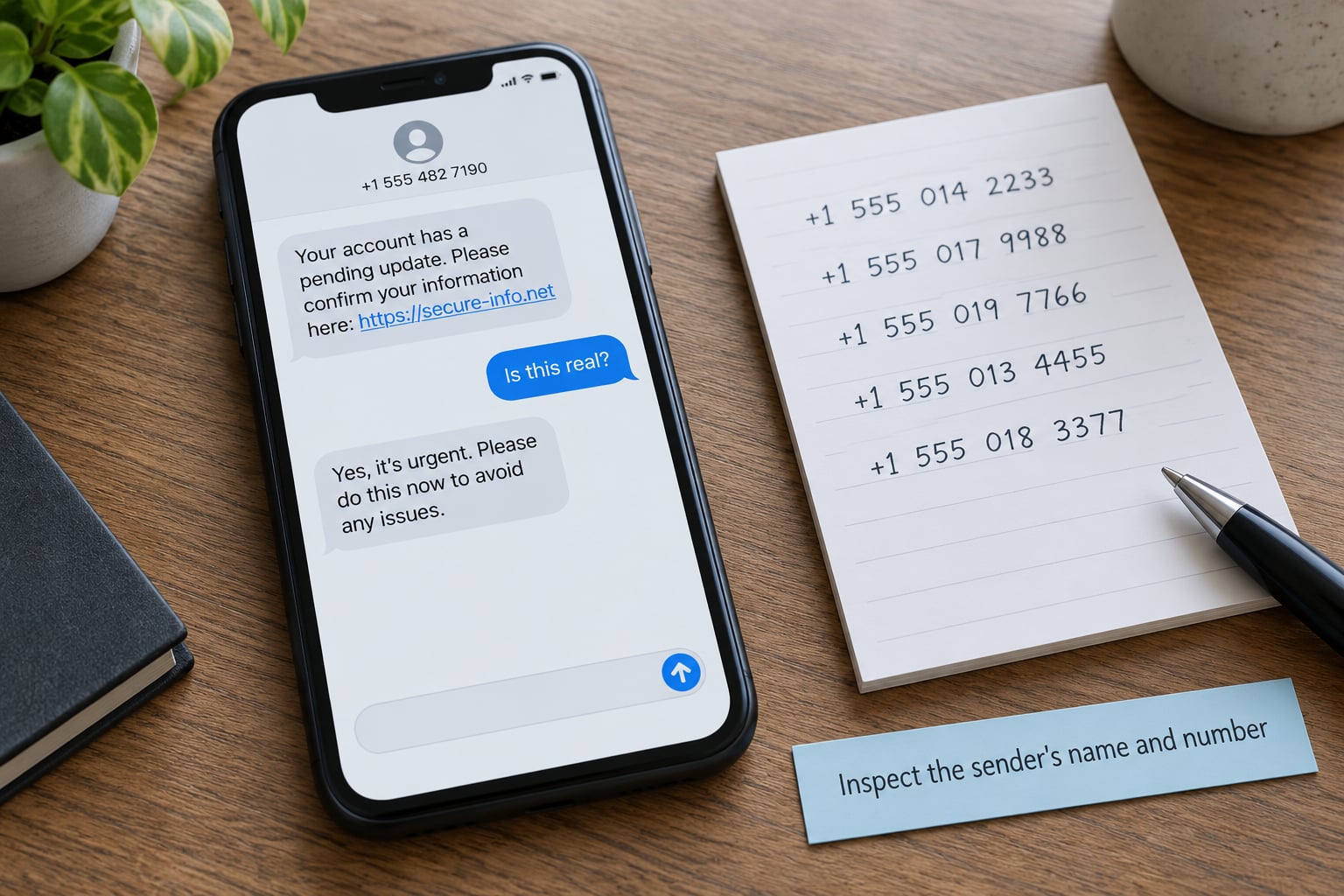
A familiar display name proves nothing. Modern messaging lets anyone send a text showing any name or any number they want, and carriers pass that along without checking. Near-miss area codes exist for the same reason: an area code belongs to a numbering plan, not to a person or a company.
Compare the full number against an official record you already have. If your bank texts you, the number on your card or your app’s contact screen is the one to match. Watch for country codes you did not expect, a familiar number with one digit changed, or a brand name sitting in front of an unrelated domain.
Legitimate companies usually send from a short code, which is a five or six digit number, or from a full ten digit number listed on their website. Random ten digit numbers with no matching name are common for robotext campaigns that have nothing to do with any company.
3. Look for pressure, threats and unusual requests
Urgency is the engine of this whole genre. Your account is locked in 24 hours. The package will be returned. A warrant has been issued. Pay by gift card, wire transfer or crypto within the hour. Each threat compresses your thinking so you skip the verification step.
Requests for secrets are the second engine. No bank, carrier or delivery company will text you to ask for your password, PIN, full card number, Social Security number or a one-time verification code. That code is the password to your account, which is exactly why nobody legitimate asks for it.
Watch for secrecy too. Do not tell anyone, keep this between us, this is urgent. And notice moving targets: a request that changes when you ask a follow-up question is a strong signal.
If the underlying problem sounds real, there is a safe route. Open the company app yourself, or call the number on your card, and ask whether there is an actual issue on the account.
4. Examine links without opening them
On both iPhone and Android, a text with a web address shows a preview of the page when you press and hold the link. That preview loads without opening the site in your browser, and it is enough to read the domain. Read it carefully, letter by letter, from the dot that follows the brand name.
Shortened addresses hide the real destination behind a redirect, so treat them as unverified. The same goes for links that push you to install an app, to call a number quickly, or to grant accessibility or screen-sharing permission. Those requests have no legitimate use in a text message.
A reassuring result: the domain matches the company you already use, spelled the same way, on a normal extension. Anything else, close the thread. And remember that a preview showing a familiar logo is not a security guarantee, because images and logos can be copied from a real site.
5. Check for a plausible but mistyped domain
Lookalike domains are where careful readers get caught. The scammer assumes you will glance, not read. Common tricks include an extra letter, a doubled letter, a hyphen where the real brand has none, the brand name with the word support or verify in front of it, or a different top level domain altogether.
Compare against the address you get by typing the company name yourself into your browser. Generic examples look like a delivery service spelled with a doubled letter, a bank name followed by a dash and a support word, or a government-sounding agency on an unfamiliar extension.
One warning that gets overused: the padlock. A padlock only means the connection is encrypted. Scam sites can get certificates too, sometimes within minutes, so do not treat it as proof of legitimacy.
6. Verify through an official channel
This is the step that actually stops fraud, and the one most competitors skip. Close the suspicious message completely. Do not reply, do not use any link or number inside it.
Then reach the company a way that has nothing to do with the sender. Open its official app from your home screen. Type the web address yourself. Read the support number off your card, your statement or a bill. Call that number and describe the message in plain words.
A script that works: I received a text claiming my account is locked. Did you send that, and is there an issue on my account? Same approach with your carrier for a fake delivery notice, and with your local police non-emergency line for a missing-person message. A genuine company can confirm or deny in a sentence. A scammer needs you to stay on their channel.
7. Notice what the message does not provide
Legitimate organizations can usually supply specifics: a case number, a tracking number, an order reference, the date and amount of a transaction, a named support channel, the specific city or vehicle involved in a toll notice. A scam text hands you a claim with nothing attached to it.
Missing detail is a warning sign. Several inconsistencies together make the claim substantially less credible. Signs include a tracking number that does not resolve, a fine for a toll road you have never driven, a bank alert with no last four digits, a prize notification with no rules or deadline that makes sense, or a message that names a real company while the details belong to nobody.
If you are still unsure after running these checks, that uncertainty is itself information. A real organization will not punish you for taking an hour to call them back.
8. Decide on a safe response
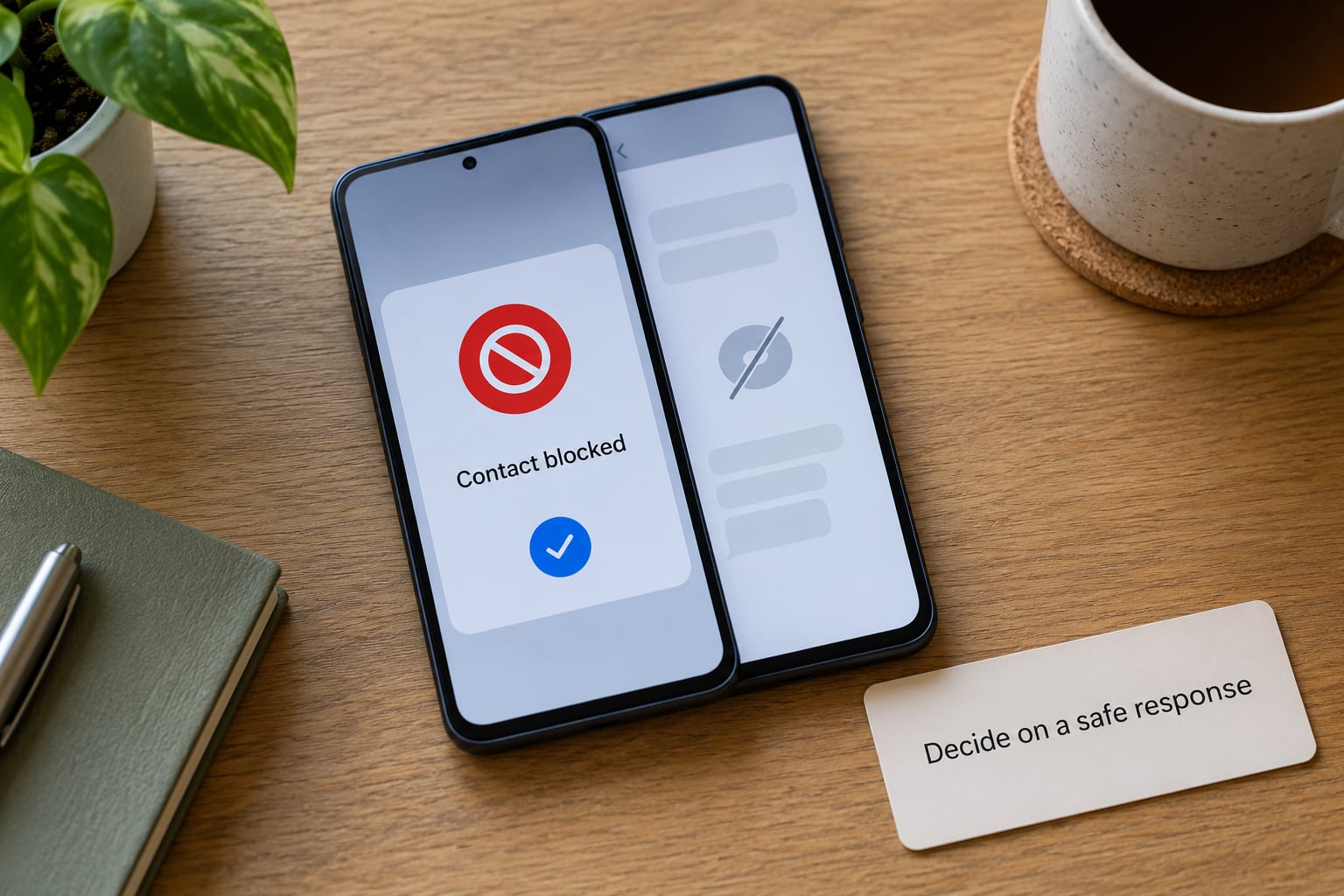
Four outcomes, in order of severity. Ignore and delete when there is no legitimate reason to engage; you lose nothing by not engaging. Report it when your phone offers the control, because reports help carriers and platforms filter similar campaigns. Block the sender when you do not want further contact from that number. And contact your bank, carrier, credit bureau or platform support straight away if money or personal information may already be involved.
On iPhone, open the conversation, tap the name or number at the top, then swipe left on the conversation title to reveal Report Junk, or Report and Block on newer versions. You can also turn on Settings, Messages, Filter Unknown Senders to keep unknown senders in a separate list.
On Android with Google Messages, open the thread, tap the contact name or the icon at the top right, then choose Block and report spam. In Samsung Messages, tap the three-dot menu, then Settings, then Spam protection, where you can turn on the filter and add blocked numbers. Check those paths on publication because menu labels shift between versions.
One more free step that helps everyone else: forward the message to 7726, which spells SPAM. Carriers use those forwards to spot active campaigns. Do it before you delete.
Common Mistakes That Cost People Money
Replying to confirm details. One reply tells the system you are engaged, and people report a sharp jump in volume afterward. You also confirm the number is live and yours. There is no version of replying that makes a check safer.
Trusting the display name. The name on a text is typed by the sender. Verify the number, not the label.
Assuming a short link is harmless, or that a long link is safe. Length means nothing in either direction. Only the domain after the brand name matters, and shortened links hide it.
Calling the number in the message. That number exists to keep you in the scam. Find the number yourself from a card, an official website or your app.
Using a phone number where an official site or app belongs. Typing the address yourself, or tapping the icon already on your home screen, removes the scammer from the loop entirely.
Sharing a verification code. Any code that arrives by text should stay private, full stop. It is the one thing that lets someone else log in as you.
Deleting before reporting. Screenshot or forward to 7726 first. Once the thread is gone you cannot report it, and other people on the same campaign keep receiving it.
A note on the wrong-number case, since it causes real arguments: if someone genuinely mistyped, a short neutral reply such as wrong number, this is not me is usually fine. Trouble starts when the conversation is steered off the platform, into a new app, and toward money or investment. Sympathy on its own is not proof of a scam, and hostility toward real strangers is not proof of safety.
Prevention is boring and effective. Turn on multi-factor authentication for email, banking and any account that holds money. Keep your phone and apps updated. Install a spam-blocking app only from its official store, never from a link in a text. Never let anyone who phones you read a code aloud to them, and treat any unexpected call about an account as unverified until you call back on a number you found yourself.
Frequently Asked Questions
Can someone I know send me a scam text?
Yes. A known contact name can be spoofed or a phone can be stolen, so a familiar name proves nothing about who wrote the message. It can also be a real person whose account was compromised, which is why you verify the claim through the company’s official channel instead of replying. If the message concerns money, an emergency or a request for a code, treat it as unverified until you confirm it another way.
Should I reply to a suspicious text message?
Usually no. Replying, including with STOP or wrong number, confirms your number is active and invites follow-up, and people report a noticeable rise in scam texts after they engage once. If you are fairly sure it is a genuine mistyped message, a short neutral reply is fine, but watch for any attempt to move the conversation to another app or toward payment.
What should I do if I clicked a scam link?
Close the page and stop interacting with it. Do not download anything, do not call a number it shows, and do not enter anything else. From a different device, change the password on the account in question and enable two-factor authentication. If you entered no information at all, you are very likely fine; if you entered a password, card details or paid anything, contact your bank’s real fraud line immediately.
What should I do if I shared a verification code?
Treat the account as compromised right now. Change that account’s password from a different device, turn on two-factor authentication, and call the real fraud number for the bank or service that sent the code. Do not log out and wait to see what happens. Codes are the key to your account, so anyone who has yours can sign in as you until you change the password.
How do I report a scam text on Android or iPhone?
On iPhone, open the conversation and swipe left on the contact name to find Report Junk or Report and Block. On Android with Google Messages, open the thread, tap the name at the top right, then choose Block and report spam; Samsung Messages keeps Spam protection under the three-dot menu and Settings. Forward the message to 7726 as well, and report financial losses to your bank and to the national fraud reporting service.
Quick Scam Check: What to Do First
Pause. That is the whole trick, and it costs nothing. The countdown in the message was written by someone who wants you rushed.
Then, in order: do not tap links, do not install anything, do not share codes or payment details. Close the thread and open the company’s official app or website yourself, or call a support number you found on your own card or statement. If the claim is false, you have lost nothing but a minute.
If it turns out to be a scam, report it on your phone, block the number, forward it to 7726 and then delete it. If you already entered information or sent money, call your bank’s real fraud line the same day rather than waiting. Knowing how to tell if a text message is a scam only matters once you know who to call when the checks come back bad.