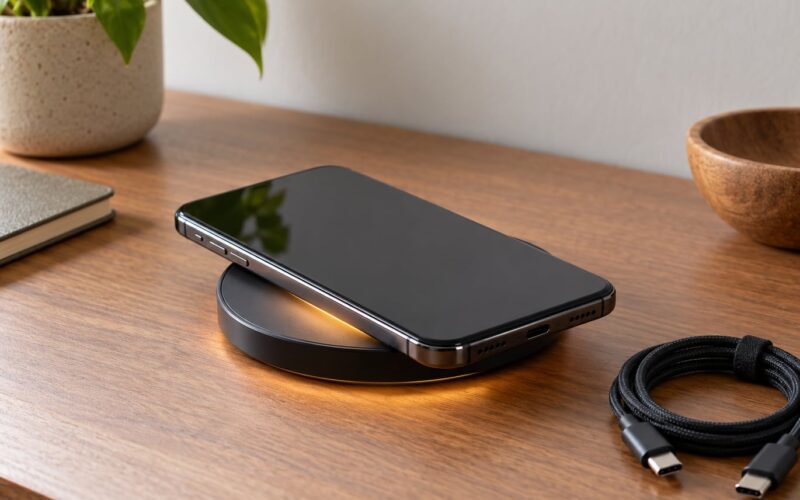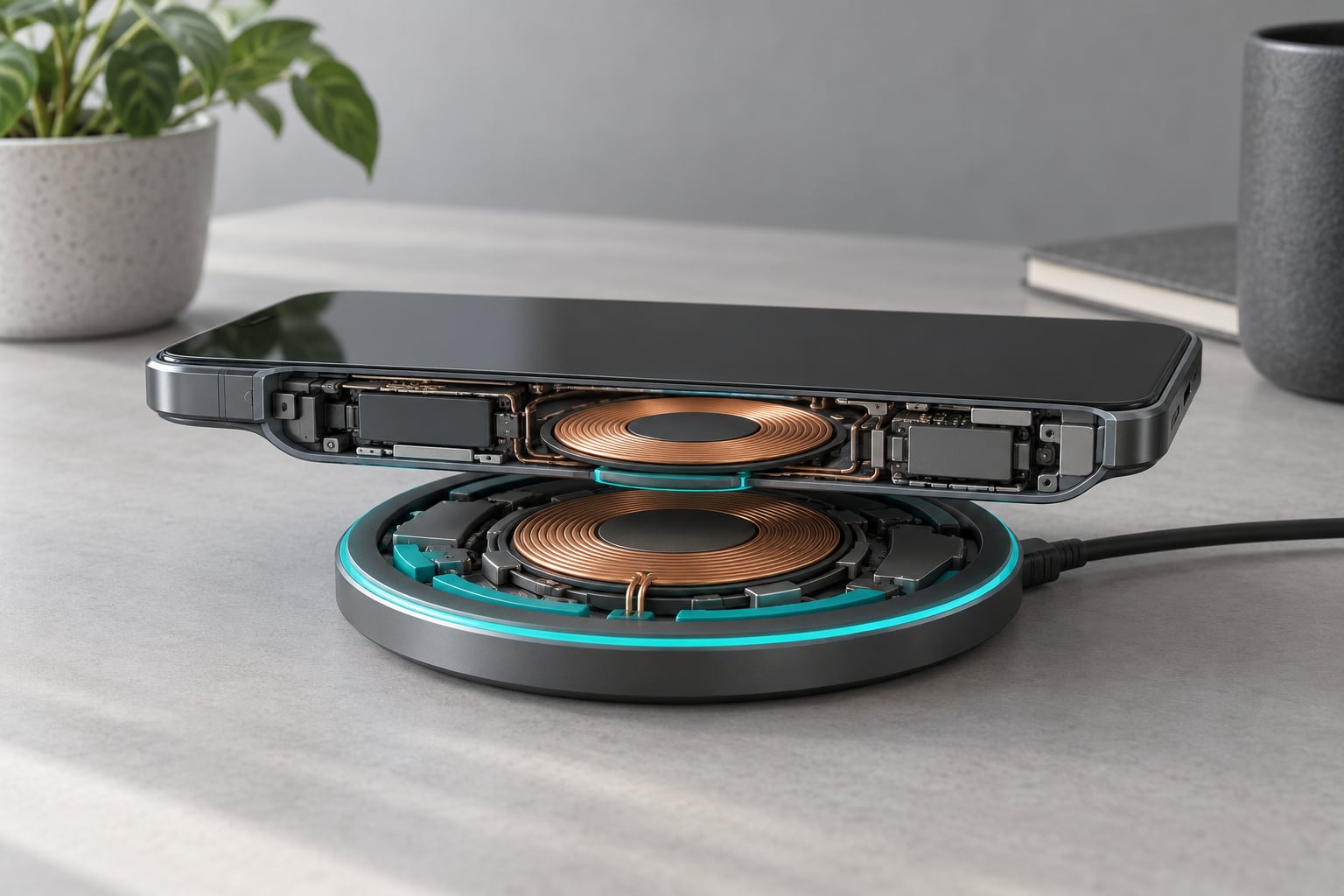
Wireless charging moves power from a pad to your phone through a magnetic field, not a wire. A coil in the pad sends alternating current through itself, which creates a changing magnetic field. A second coil inside your phone picks that field up and turns it back into electricity, and the phone charges from there. No connector touches anything, which is the whole appeal.
The catch is efficiency. A wireless link wastes roughly a fifth to a third of the energy it moves, and wasted energy turns into heat in both devices. That single fact explains most of the practical advice in this guide: pads are wonderful for topping up on a desk, and a bit wasteful when you need speed.
Below I break the system into its parts, walk through what happens the moment you set a phone down, and cover the cases where wireless wins and the ones where a cable still makes more sense in 2026.
Table of Contents›
- How Wireless Charging Works
- The Parts That Transfer Power
- What Happens When You Put a Phone on the Pad
- How Wireless Charging Works Across Qi and Other Standards
- Wireless Charging Speed, Efficiency, and Heat
- How Different Phone and Tablet Charging Cases Compare
- When Wireless Charging Is Worth Using
- When You Should Plug In Instead
- How to Choose and Use a Wireless Charger
- Frequently Asked Questions
- Does wireless charging damage a phone battery?
- Can a phone case block wireless charging?
- Why does my wireless charger sometimes stop charging or get hot?
- Do Qi chargers work with both iPhone and Android phones?
- Is wireless charging faster or slower than plugging in?
- Can I leave my phone on a wireless charger overnight?
- Conclusion
How Wireless Charging Works
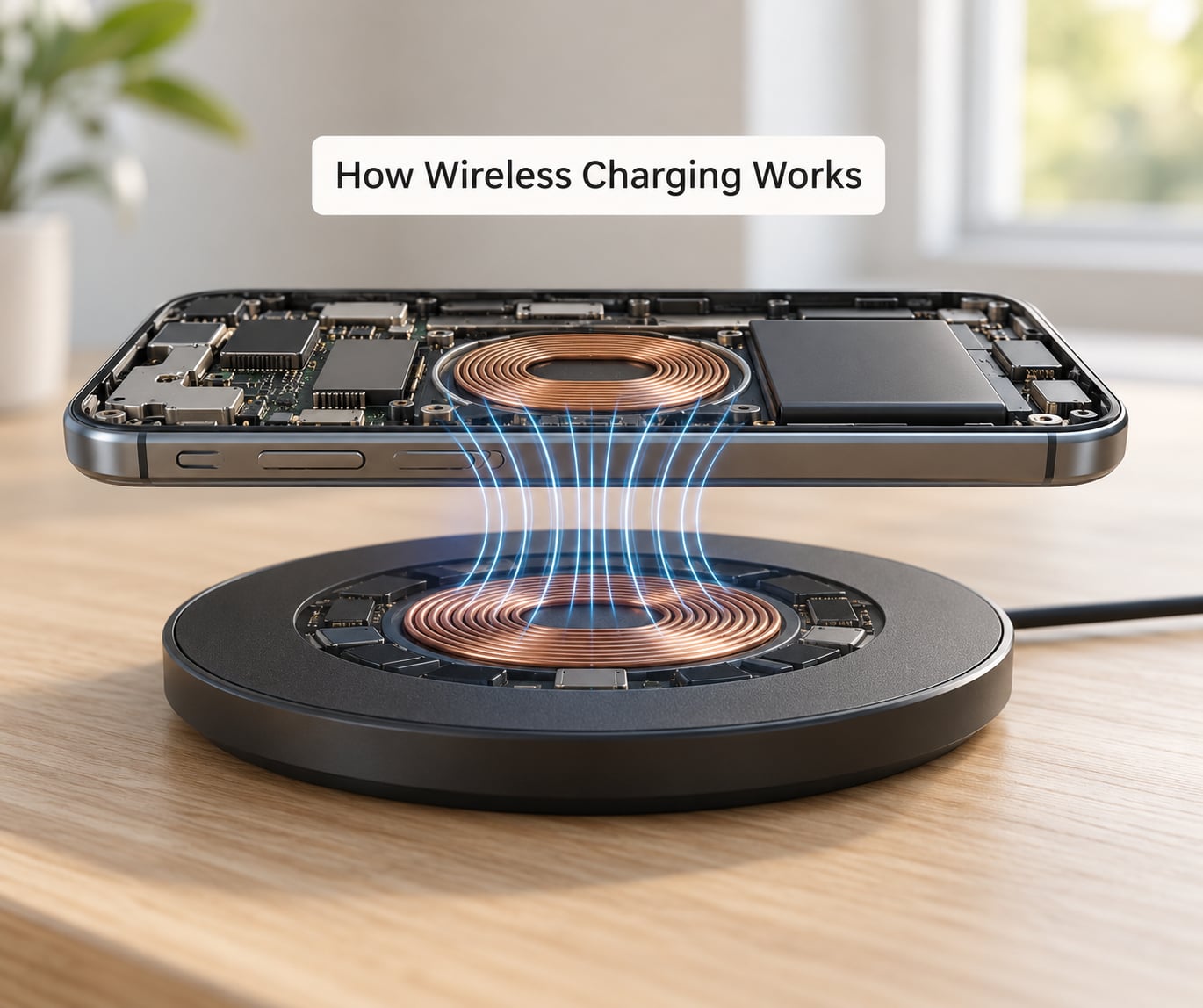
The short version: a transmitter coil in the charger generates an alternating magnetic field, and a receiver coil in your device picks that field up and converts it into current. Alternating current means the direction of the current reverses many times a second, and that reversal is what makes the field change, which is what induces a voltage in the second coil.
Understanding how wireless charging works starts with one idea: the two coils never touch, they are held apart by a few millimetres of plastic, case and air, and energy crosses that gap as a field. That is also why distance matters so much. Every extra millimetre weakens the coupling, which is the physical reason a phone sitting off-centre charges slowly.
The full cycle looks like this:
- The pad draws power from a wall adapter and drives alternating current through its transmitter coil.
- The alternating current produces a magnetic field around that coil, and the field passes through the gap into the device.
- The receiver coil in the device sees a changing field and develops its own voltage, the same way a microphone pickup coil develops a signal from a moving magnet.
- Charging electronics in the device rectify that voltage into direct current, regulate it, and feed the battery.
- Both sides sample temperature throughout and throttle or stop the transfer if either gets too warm.
Anything the system cannot turn into useful charge becomes heat, in the pad and in the phone. That is not a defect, it is physics, and it is the reason a phone can feel warm on a pad while barely warming up on a cable.
The Parts That Transfer Power
Most of the confusion about wireless charging comes from lumping the charger, the cable, the adapter and the phone into one object. They are four separate pieces, and each one can be the reason charging is slow.
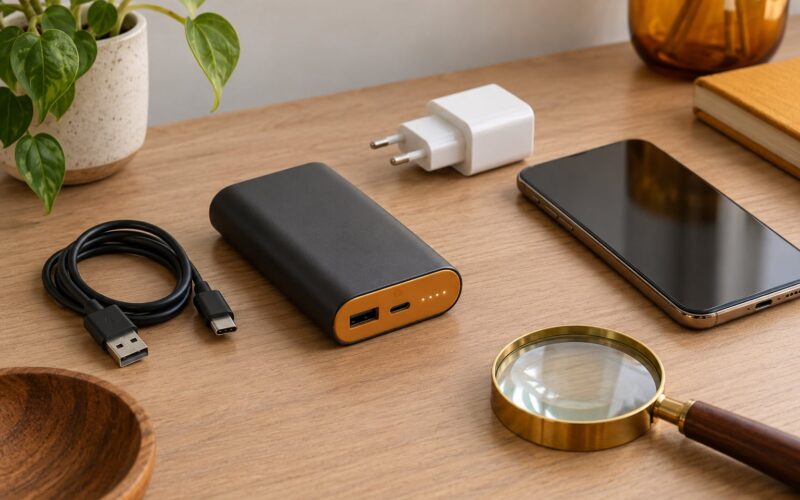
- Wall adapter — sets the ceiling. A 5W adapter on a pad that can accept 15W leaves the pad stuck at its lowest tier.
- Cable and port — carries power to the pad. A worn or thin cable between adapter and pad quietly caps everything downstream.
- Transmitter coil — the flat spiral inside the pad. Its diameter and turn count determine how wide the field is and how far the device can sit from dead centre.
- Receiving coil — the small spiral in the device, usually near the middle of the back. If it does not line up over the transmitter coil, coupling collapses.
- Power-management electronics — the chips on both sides that negotiate a voltage and current, then watch temperature and shut down if things drift.
- Magnets or positioning guides — on Qi2 and MagSafe hardware, an array of magnets snaps the two coils into alignment, which removes the guesswork entirely.
- Foreign object detection — a coil that starts picking up a coin, key or card detects the stray metal and cuts power to avoid heating it up.
That last item explains one of the most common complaints in owner forums. A phone in a thick wallet case, or one with a credit card in a slot, can trigger foreign object detection, and the pad will blink or refuse to start.
What Happens When You Put a Phone on the Pad
Charging starts the instant the phone touches the pad, but the sequence takes a second or two and each step can be observed.
- Placement. The phone’s coil passes near the pad’s coil. Weak magnetic coupling is enough to power a handshake signal.
- Authentication. The phone asks whether the pad speaks a standard it understands, and what power tier it supports.
- Alignment. The phone measures how well the coils are lined up. On a plain Qi pad, a phone sitting one centimetre off-centre can drop the negotiated rate sharply.
- Power transfer. Both sides ramp up together. The pad never sends more than the phone has agreed to accept.
- Monitoring. Temperature sensors on both sides sample continuously. Hot conditions or a detected object reduce or stop the transfer.
- Completion. Once full, the device draws almost nothing and the pad drops to a trickle. This is why leaving a phone on a pad all night is not the same as holding it at full power for eight hours.
A concrete example: a phone placed slightly high on a pad may sit at a lower rate than advertised, showing charging but crawling. Slide it down to the middle, where the coil logos are printed, and the same pad jumps to its normal speed. That one-centimetre adjustment solves the majority of “my wireless charger is slow” reports.
How Wireless Charging Works Across Qi and Other Standards
Qi is the baseline standard, published by the Wireless Power Consortium and used by most Android phones, tablets, earbuds cases and, since the iPhone 8, by Apple. A Qi-certified pad will charge a Qi device, and the pad and device negotiate speed within that standard rather than assuming the maximum.
Qi2 builds on Qi with the Magnetic Power Profile, a defined ring of magnets that pulls the phone into the exact position where the coils couple best. Qi2 also tightened testing so a certified pad delivers its rated power rather than the floor of the range. Devices with the magnet array stick where you put them, which is why alignment frustration largely disappears on that hardware.
MagSafe is Apple’s implementation. The underlying physics is identical, and many MagSafe accessories also charge Qi devices. The differences are the magnet geometry, the charge negotiation and the ecosystem of certified accessories. Treat MagSafe and Qi2 as related but distinct ecosystems, not as interchangeable labels on the same box.
Some manufacturers also ship proprietary fast wireless charging above the standard tiers. Those speeds only appear when the phone, the pad and often the adapter all come from the same brand. Mixing them usually drops you back to the standard rate.
Wireless Charging Speed, Efficiency, and Heat
Peak numbers on a box are measured in ideal conditions at room temperature with a known adapter. Real conditions are messier, and the gap between peak and sustained is where wireless charging loses ground.
| Condition | What typically happens | Why |
|---|---|---|
| Wired charge, matched adapter | Fastest and most efficient path to the battery | No conversion losses, no alignment step |
| Wireless, dead centre, cool room | Near the pad’s rated tier | Best coil coupling, heat can dissipate |
| Wireless, phone off-centre | Noticeably lower rate or no start at all | Weaker coupling between the coils |
| Wireless through a thick case | Reduced rate, or foreign object detection | Extra distance and metal in the path |
| Wireless in a warm car or on a sunny desk | Throttled after the first few minutes | Thermal limits force a lower rate |
| Wireless on an underpowered adapter | Stuck at the lowest tier | Not enough input power to run a fast profile |
In practice, how wireless charging works is a negotiation rather than a constant. The pad can supply 15W and the phone may accept 5W, and the shared limit is the lower of the two. Heat closes that gap quickly, so the peak rate on the box often lasts only a few minutes before thermal management pulls it down.
Efficiency sits roughly in the 70 to 80 percent range for a typical phone and pad pair, against roughly 90 percent or better for a direct cable. That gap is not a design failure. It is the price of pushing energy across an air gap, and it shows up as warmth in your hand.
How Different Phone and Tablet Charging Cases Compare
What happens on the pad depends heavily on what you are putting on it.
| Device or case | Standard in use | Likely result |
|---|---|---|
| Qi-compatible phone, no case | Qi | Charges at the pad’s rated rate |
| Magnetic Qi2 phone and Qi2 pad | Qi2 MPP | Snaps into position, reliable rated speed |
| Phone with a magnetic ring or grip attached | Depends on the ring | Charges if the ring is thin and conductive enough |
| Phone in a thick rugged or wallet case | Qi | Reduced speed, or charging that starts and stops |
| Older or budget phone with no coil | None | Nothing happens |
| Tablet with wireless support | Qi, often a higher tier | Charges, but many pads are too small to hold it well |
| Smartwatch on a watch puck | Watch-specific | Charges only on its own puck or a multi-device base |
| Earbuds charging case | Qi, sometimes with a magnet ring | Charges on a pad sized for the case, not the earbuds |
Watch and earbuds cases are worth calling out because they look like they should work on any pad. The coil inside those cases is much smaller, and the charge electronics are tuned for a low current. A large phone pad will often charge them, slowly and only when the case is centred.
When Wireless Charging Is Worth Using
Bedside charging. A pad on the nightstand beats fumbling with a cable half awake. The phone goes face down, nobody notices the pad, and it charges all night at whatever rate the device manages.
A desk you actually use. Pick the phone up forty times a day without thinking about a cable. That is the single biggest quality-of-life win of going wireless.
Short top-ups. Sitting at 15W for twenty minutes in the morning is more useful than a full overnight cycle you forget about.
Shared household pads. One pad on the kitchen counter works for whoever walks past. No hunting for a cable that was never put back.
Magnetic docks. On Qi2 or MagSafe hardware, a wall-mounted puck becomes a reliable drop-and-go spot instead of a precarious balance on a flat pad.
There is a quiet benefit to all of these too: because the charging port stays unused, it collects less pocket grit and suffers less wear from cables being yanked out.
When You Should Plug In Instead
Reach for the cable whenever speed or heat matters more than tidiness.
Gaming, video recording and navigation all draw power while you use the phone. A pad cannot keep up with heavy sustained load and a cable can, so plug in when the screen is going to be on for an hour.
Travel is the other clear case. A phone battery at 8 percent in an airport is not the moment to learn that your pad needs a wall adapter. A small wired charger you already own is lighter, more reliable and less to lose.
It also matters when your phone has no wireless hardware at all. Many budget phones and some tablets have no receiver coil, and no pad will ever change that.
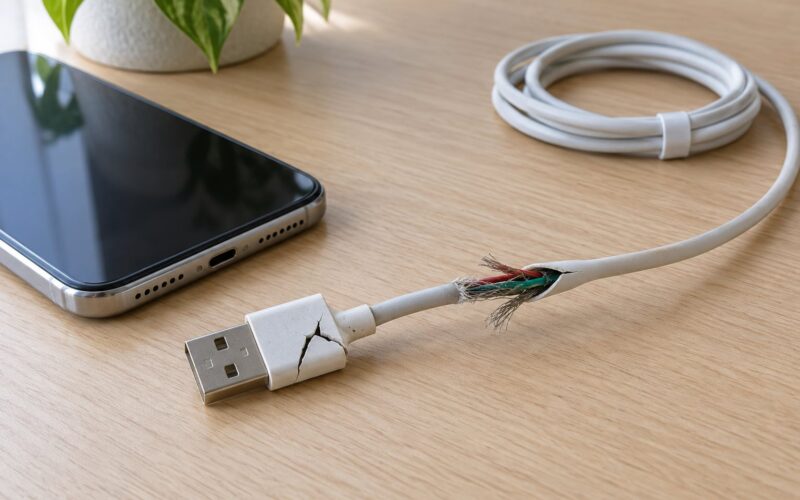
For a full top-up before leaving the house, the cable wins on time and runs cooler the whole way. Use the manufacturer’s cable and a rated adapter, and stop using a charger once the cable jacket is cracked or the connector moves loosely inside the port.
How to Choose and Use a Wireless Charger
Start by checking what your device actually supports. Look for a Qi or Qi2 mark on the specifications, and note the maximum rate. A pad cannot exceed that number, and buying a higher-numbered pad for a lower-numbered phone buys you nothing but heat.
Then work down the chain. Confirm the adapter’s wattage meets what the pad expects, because pads rarely include an adapter. Inspect the cable for kinks or loose ends. A pad is only as good as its weakest input.
Look for two specific features if you plan to leave a phone on it regularly: foreign object detection, which protects against heating a card or coin caught under the phone, and active thermal monitoring, which throttles before things get uncomfortable.
Once it is set up, a few habits solve most problems:
- Centre the phone over the coil marking rather than dropping it anywhere on the pad.
- Remove pop sockets, ring holders and card-holding wallets, or charge with the case off when a magnet ring is involved.
- Keep the pad in open air, not under a pillow, a stack of books or a car console shelf.
- If the indicator blinks or the phone keeps dropping off, move the device to the centre before blaming the charger.
- Follow the instructions from your device maker. Charging limit features such as optimised or adaptive charging are the best lever you have for long-term battery condition.
One last thing to accept early: Qi certification confirms a charger is safe and interoperable, not that it hits the fastest rate on your particular phone. Speed depends on the device, the adapter and the alignment working together.
Frequently Asked Questions
Does wireless charging damage a phone battery?
Not in the way people fear, but it is not identical to a cable either. Wireless charging loses more energy to heat, and sustained heat is what ages a lithium-ion battery faster. Modern phones reduce this by throttling and by delaying charge when the battery is full. For daily top-ups wireless is fine. For long full cycles overnight, a cable runs cooler.
Can a phone case block wireless charging?
Yes, and thickness is the deciding factor. The receiver coil needs to stay close to the transmitter coil. Most thin cases charge through without trouble, while rugged cases, thick wallet cases and metal-backed designs either slow charging or trip foreign object detection and stop it. Card slots and ring holders add metal to the path and cause the same problem.
Why does my wireless charger sometimes stop charging or get hot?
Cycling on and off usually means a partial coil alignment, a detected foreign object such as a card or coin, or a pad and adapter that do not agree on a power tier. Heat comes from the same conversion losses that make wireless less efficient. Centre the device, remove metal accessories, try a different outlet and adapter, and check that the pad has room to breathe.
Do Qi chargers work with both iPhone and Android phones?
Yes for the baseline. Qi has been the common standard on Android phones for years, and Apple adopted it starting with the iPhone 8. A Qi-certified pad will charge either, though the phone decides the speed. Faster tiers and magnetic alignment are where the ecosystems split, so check whether your device needs Qi2 or a MagSafe accessory for the features you want.
Is wireless charging faster or slower than plugging in?
Slower, usually by a wide margin. A cable moves power with very little loss and no alignment step. Wireless typically loses around a fifth to a third of the energy it transmits, and the phone or pad then throttles to manage heat. On a fast wired setup you may see two to three times the rate of the same phone on a good pad.
Can I leave my phone on a wireless charger overnight?
It is generally fine, and most people do it every night. The phone stops drawing meaningful current once full and switches to a trickle, so it is not holding a full battery at full power for eight hours. Keep the pad uncovered, use a charger with temperature monitoring, and turn on any charging limit feature your phone offers for longer-term battery health.
Conclusion
Wireless charging earns its place on a nightstand, on a working desk, and for the top-ups that happen all day. It trades efficiency and speed for the ability to pick your phone up without thinking about a cable.
Everything else still favours a plug: fast top-ups before you leave, gaming, video recording, travel, and any device without a receiver coil.
Your first move is simple. Check what charging standard and maximum rate your device supports, then pick a pad with foreign object detection and temperature monitoring, backed by an adapter rated for what that pad needs.