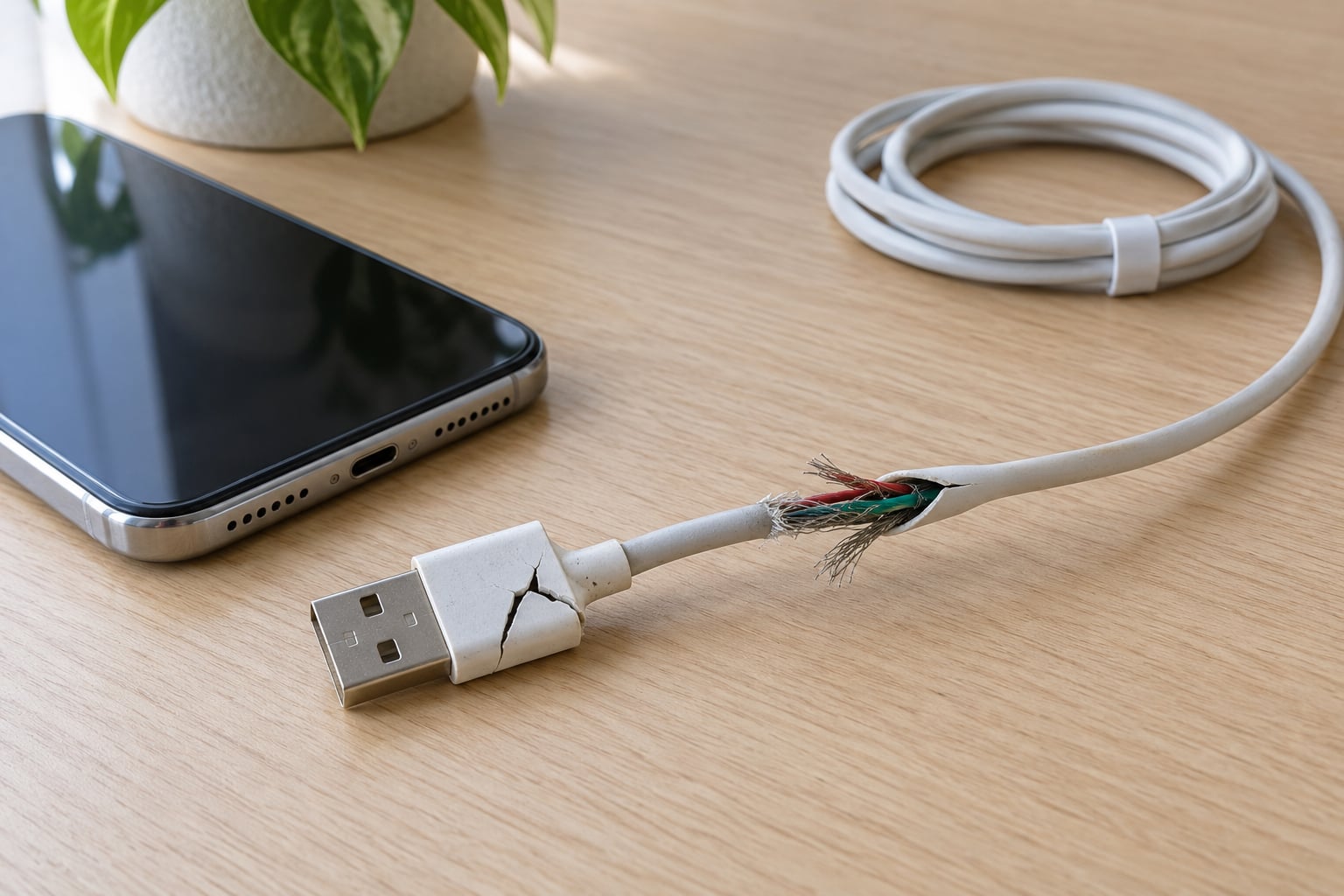
Cables usually break at the strain-relief joint, the short section where the flexible wire meets the rigid plastic plug, because every bend, yank and twist concentrates there. The copper strands inside start fatiguing long before the outer jacket splits, which is why a failing cable often charges slowly or intermittently first. If you have wondered why does my charging cable keep breaking at the same spot every time, the answer is mechanical, and it is fixable.
Most of this comes down to three habits: pulling the cord instead of the plug, folding it into a hard right angle, and wrapping it tight around the charger. Fix those and the same cable usually keeps going for years.
Table of Contents›
- Why Does My Charging Cable Keep Breaking?
- The Parts of a Charging Cable That Fail First
- What Damages a Charging Cable?
- Bending it to a right angle
- Pulling the cord instead of the plug
- Crushing it under something heavy
- Heat, sunlight and moisture
- Tight wrapping and kinks
- Charging in bed under tension
- Build quality
- How to Tell Whether the Cable or the Charging Port Is the Problem
- Can You Fix a Broken Charging Cable?
- How to Prevent Your Charging Cable from Breaking Again
- Which Charging Cable Should You Choose?
- Frequently Asked Questions
- Is it normal for a charging cable to break near the phone plug?
- Can a charging cable damage my phone?
- Why does my phone charge only when I hold the cable at an angle?
- Should I repair a charging cable or replace it?
- Does a thicker charging cable last longer?
- Is a loose phone charging port causing cable problems?
- Conclusion
Why Does My Charging Cable Keep Breaking?
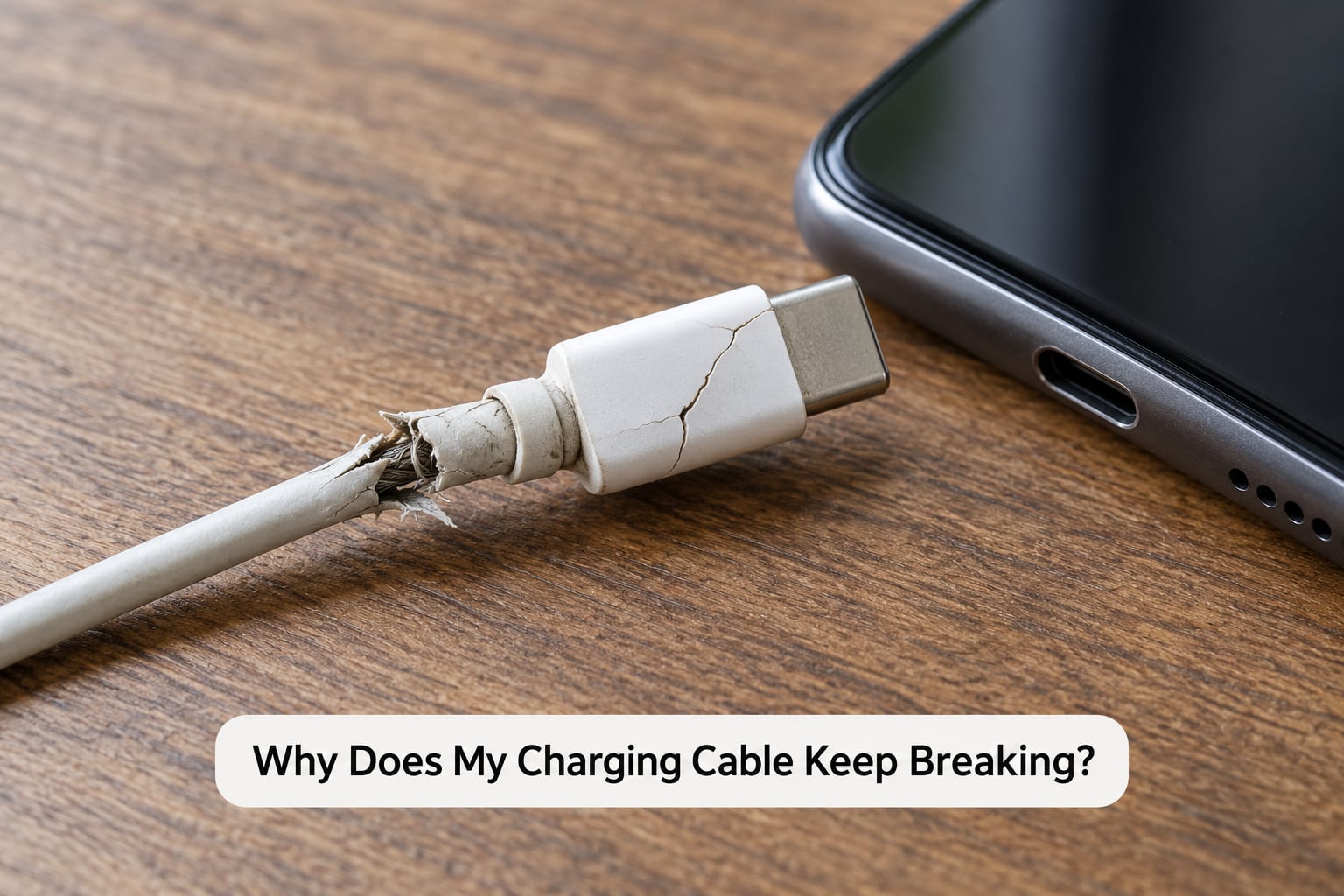
The honest answer is that a charging cable is a stiff plug attached to a limp wire, and that mismatch is a weak point by design. The plug has to be rigid enough to survive being dropped, while the cable has to be soft enough to fold into a pocket. All the movement happens in the few millimetres where those two jobs meet.
Call that section the strain relief. On a good cable it is a thick rubber boot, sometimes a spring, that spreads the load out over a longer stretch of wire. On a cheap one it is a thin cone of plastic with no give at all, so every wiggle goes straight into the solder holding the connector to the cable.
Here is how that plays out over a year or two of normal use. You bend the cable 90 degrees to reach a port on a desk, plug and unplug a few dozen times, and occasionally yank it out when the phone is stuck. Each of those is small on its own. Together they work the copper strands back and forth past the point where they want to sit, and the strands start snapping one by one inside the insulation where you cannot see them.
That internal damage shows up before the visible kind. Charging gets slower, then stops, then starts again if you wiggle the plug a certain way. The jacket can still look perfect at that point. When the failure finally becomes visible, it is usually a split right at the boot, and the wires inside are already half gone.
The Parts of a Charging Cable That Fail First
It helps to know what you are actually looking at, because the visible damage and the real damage are often in different places.
- Strain relief boot: the rubber or plastic cone at each end of the cable. This is the most common failure point, by a wide margin.
- Solder joints: the fixed connections where the internal wires meet the connector. They crack under repeated flexing and are hidden inside the housing.
- Internal conductors: thin copper strands, often finer than a human hair, carrying power and data. They snap from metal fatigue long before the jacket cracks.
- Outer jacket: the insulation you touch. It protects the wires but does nothing for the joint, which is why a braided cable can still fail at the same spot.
- Connector tip and housing: the metal shell and the plastic around it. These take crushing, and the small contacts inside USB-C can bend without looking obviously wrong.
USB-C, Lightning and micro-USB all fail the same basic way, but the details differ. Micro-USB is a plug that plugs into the phone, so the cable hangs at an angle and every lift loads the connector. Lightning connectors sit in a recess, so they collect pocket lint and grit. USB-C is symmetrical and shallow, which makes it comfortable to use either way but also means it slides in and out more easily when something is tugging on it.
Data cables carry extra conductors and an aluminium shield, so they have slightly more to break than a charge-only cable. A cable that also handles video adds more still. That is one reason a cheap two-in-one cable can feel less reliable than a simple charge cable, even when the outer material looks identical.
What Damages a Charging Cable?
Bending it to a right angle
A 90 degree fold at the connector concentrates the whole length of the cable’s pull into a very short arc. Keep a gentle curve instead, roughly ten times the cable’s own diameter as a rule of thumb, and the stress spreads out.
Pulling the cord instead of the plug
Grabbing the wire to yank a phone out of a wall socket, or lifting the phone by its cable, is the fastest way to break a solder joint. Pinch the connector housing itself. It is the part designed to take a hand.
Crushing it under something heavy
A cable trapped under a monitor stand, a bed frame or a laptop in a backpack gets compressed until the internal strands buckle. The damage looks like nothing from the outside and then shows up as random dropouts weeks later.
Heat, sunlight and moisture
Leaving a cable and phone charging on a car dashboard or a windowsill in direct sun degrades the jacket material. Water from a kitchen sink or a wet pocket gets under the boot and corrodes the contacts, which is why a cable that survives a wash rarely charges properly afterwards.
Tight wrapping and kinks
Wrapping a cable around the charger brick to save space bends it hard in the middle and leaves a permanent kink. On r/BuyItForLife the advice that keeps coming back is a loose wrap and a pouch or a hook-and-loop tie, not a knot or a tight loop.
Charging in bed under tension
Fall asleep with the phone plugged in and your arm on the cord all night, and the cable spends hours folded under weight at exactly the connector. On ResetEra threads, owners blame this habit specifically for failures near the phone end.
Build quality
Cheap cables use fewer, thinner copper strands and a boot with no reinforcement. That is real, but it is not the whole story. Braided or marketed-as-indestructible cables also fail, sometimes at the same spot, because the braided jacket only protects the cable body and does nothing for the joint. Strain relief design, not the jacket, is what decides how long a cable lasts.
How to Tell Whether the Cable or the Charging Port Is the Problem
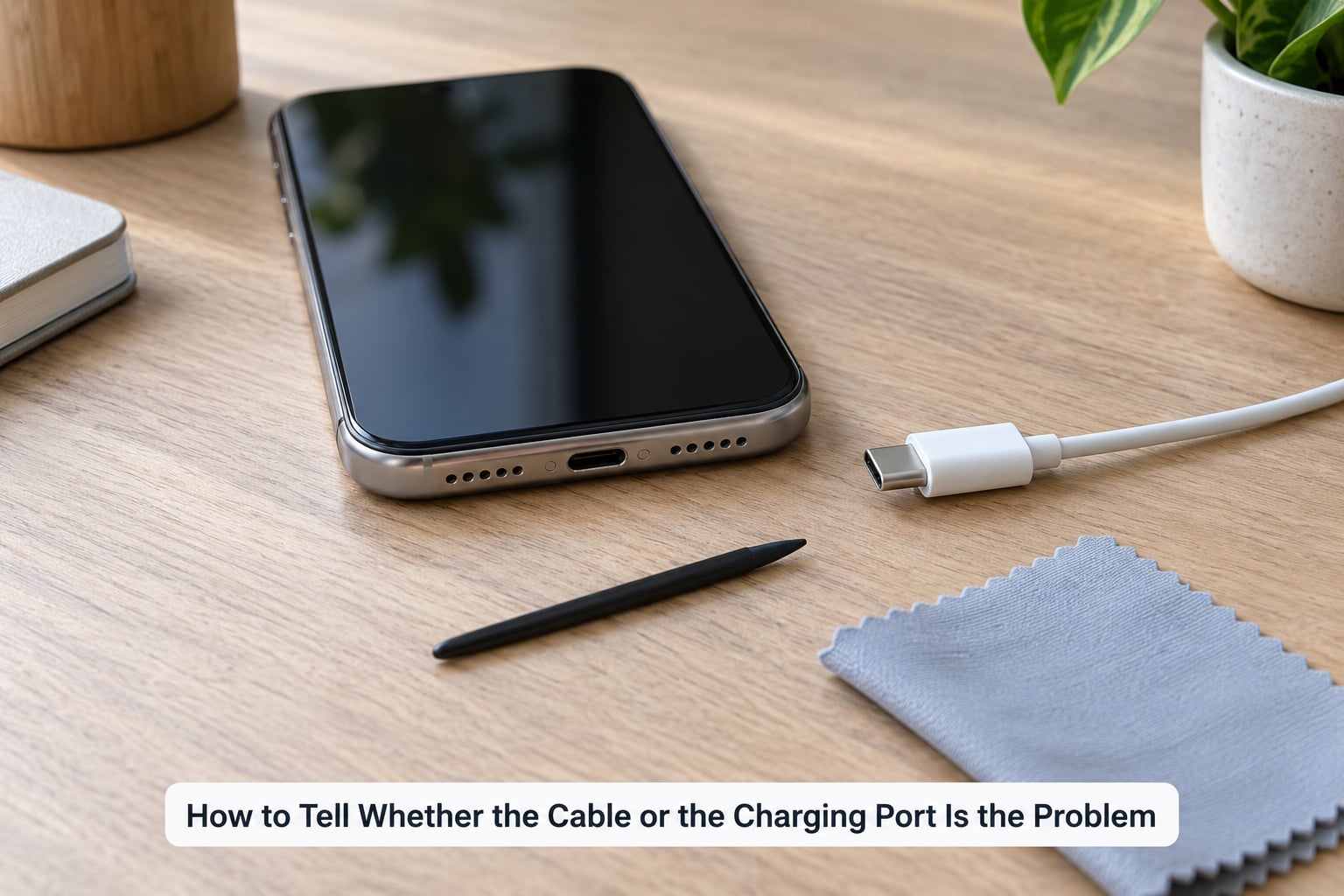
Before you blame the cable, work through this in order. It takes a couple of minutes and saves replacing a perfectly good cable.
- Look at the cable. Check the boot at both ends for splits, softening or a jacket that pulls away from the connector. Run the cable through your fingers and feel for a spot that is stiffer, thinner or slightly kinked than the rest. That is where a break is starting even if nothing has cracked yet.
- Test it somewhere else. Plug the cable into a different phone, a different port, or a laptop. If it works fine elsewhere, the cable is probably fine and the problem is in the port you were using.
- Clean the phone’s port. Power the device off first. Pocket lint compacts into a hard pad that stops the connector seating fully, which reads as a broken cable. On r/TechNook this is described as the socket becoming too shallow to engage properly, and on r/Galaxy_S20 and r/BMWi3 the community fix is lifting the lint out with a needle rather than a toothpick, which is too wide and too weak to shift it.
- Reseat it gently. Push the connector in straight and listen or feel for the click. If it only works when you hold the cable at a particular angle, the contact inside the plug or the port is loose, and that is a replacement signal rather than a cleaning one.
Here is the shortcut version:
| Symptom | Most likely cause | What to do |
|---|---|---|
| Charges only when you hold the cable at an angle | Worn internal conductors or a loose connector contact | Replace the cable |
| Slow charging that stopped being fast months ago | Degraded conductors or a partially blocked port | Clean the port, then test another cable |
| Jacket split or stiff patch near the plug | Strain relief has failed, wires exposed | Unplug and replace immediately |
| Connector wiggles loosely in the port | Bent contacts in the plug or a worn port | Replace the cable; check the device port |
| Charging works in one device, not another | Dirty or damaged port on the first device | Clean the port on that device |
| Charging stopped completely, cable looks fine | Port lint or a dead adapter, not the cable | Test with a second cable and adapter |
If the same cable works in three different devices and three different outlets, you have your answer: the cable is fine. If it fails everywhere, it is the cable.
Can You Fix a Broken Charging Cable?
Sometimes. The rule of thumb is that you can reinforce a cable that is merely tired, and you cannot rescue a cable that is broken.
Worth fixing: a cable whose boot has started to split but whose wires are still fully intact, and a cable that has been crushed and flattened. Cut a length of adhesive-lined heat-shrink tubing slightly wider than the damaged section, slide it over the boot, and shrink it with a hair dryer or a lighter held well back and moved constantly. On r/volt, people running an electrical repair shop report fixing cables this way for a fraction of a replacement. The sleeve adds a second strain-relief boot, which is exactly the part that failed.
Not worth fixing: a cable where you can see copper strands, where the metal tip is bent or missing, where a plug has come off in the port, or where a charge-only cable has started dropping data. Heat-shrink over exposed copper is a fire risk, and tape or hot glue over cracked insulation is worse, because it hides a short circuit until it happens.
Two hard rules. If the damage is at the connector itself rather than the cable body, replace it, because there is nothing to grip and nothing to reinforce. And if a cable is warm to the touch while charging, stop using it and unplug it at the wall. Heat at a damaged joint is the point where a nuisance becomes a hazard.
A repair shop or the device manufacturer can do a proper job with a new connector and fresh strain relief, but for a phone cable, a replacement of the same tier usually costs less than the repair and gives you back the warranty. That is a real option when the cable is a certified MFi or USB-IF one, since a non-certified replacement can cost you fast charging on an iPhone.
How to Prevent Your Charging Cable from Breaking Again
- Unplug by the connector housing. Never by the wire, and never by the cable while the phone is still in the socket. Pinch the plug, pull straight out.
- Keep a gentle arc at the connector. A relaxed curve of roughly ten times the cable’s diameter survives. A tight right angle does not, no matter how good the cable is.
- Stop charging in bed with your arm on the cord. If you use a bedside setup, a weighted or clamped cable holder that holds the phone and leaves the cable slack fixes most of this overnight damage.
- Coil loosely, over and under. Never wrap a cable tightly around the charger brick, and never wind it around your fingers like a lasso. Over-under loops and a small hook-and-loop tie undo without a crease.
- Keep it out of heat and water. A pocket, a bag side pocket or a desk clip is fine. A dashboard in summer, a washing machine and a wet kitchen sink are not.
- Keep it away from pets and sharp edges. Teeth and claws find cables, and a laptop in a backpack sits on top of them.
- Look at it every couple of months. Hold it up to a light and look for a stiff patch, a soft dent in the boot or a jacket that no longer feels evenly round. A cable with no visible crack but a bad feel is usually a month from failure.
Two habits above are worth extra attention because they cause most repeat failures. Tension while plugged in and tight wrapping both put constant load on the joint, and that is the whole game.
Which Charging Cable Should You Choose?
Judge a replacement on the connector end, not the middle. The braid and the brand name are the easiest things to see, and they matter least.
- Strain relief first. A boot that is noticeably thicker than the cable and stays flexible when you bend it is the single best predictor of lifespan. Spring-style and extended-boot designs are built around exactly this.
- Correct connector and certification. MFi for Lightning, USB-IF for USB-C. Certification matters most for fast charging, since an under-spec cable quietly drops you to slow charging long before it breaks.
- Right length for the job. A cable that is too short for your desk pulls taut every time you move the phone. Too long and it swings and tangles. Match the length to the distance you actually charge at.
- Flexibility, not thickness. A thick cable with a stiff boot is worse than a slimmer one that bends gently. A thick jacket with a weak joint still snaps at the same spot.
- Warranty and bend-cycle claims. A stated bend rating and a multi-year warranty tell you the manufacturer expects the joint to survive ordinary abuse. Treat the number as a marketing figure, but a warranty is a real signal.
- Power rating. For laptops and fast charging, check the wattage the cable is rated for and whether it supports USB Power Delivery. Not every USB-C cable charges every USB-C device quickly.
Rough industry guidance puts expected lifespan like this, and treat it as a range rather than a promise:
| Build tier | Typical lifespan | What to look for |
|---|---|---|
| Budget cable | 3 to 6 months | Thin boot, few conductor strands |
| Certified cable (MFi or USB-IF) | 1 to 2 years | Moulded strain relief, decent jacket |
| Braided with reinforced boot | 2 to 4 years | Extended or spring strain relief, bend rating, warranty |
If your cables keep dying in months with gentle handling, the connector design is the thing to change, not the coat.
Frequently Asked Questions
Is it normal for a charging cable to break near the phone plug?
Yes, it is the most common failure by a wide margin. The short section where the wire meets the plug is called strain relief, and it takes every bend and pull the cable receives. Even well-made cables eventually split there, and cheap ones often go within months. A split boot is the signal to replace the cable, not to keep using it.
Can a charging cable damage my phone?
A healthy cable is safe, but a damaged one can cause real problems. Cracked insulation or exposed conductors can short, spark or generate heat, and a connector with bent contacts can leave the phone charging oddly or push current where it should not. Unplug any cable that is frayed, warm, or smells burnt and replace it rather than taping it up.
Why does my phone charge only when I hold the cable at an angle?
That usually means the connection is intermittent, not dead. Either internal conductors in the cable have partly snapped or the port is not seating the plug fully, often because of compacted pocket lint. Power the phone off, lift the lint out with a needle, and test with a second cable. If the angle trick still works on another cable, the port needs looking at.
Should I repair a charging cable or replace it?
Reinforce with heat-shrink only if the boot is splitting while the wires are still intact and the metal tip is undamaged. Replace the cable if you can see copper, if the tip is bent, if the plug has come loose in the port, or if the cable runs warm while charging. Those failures are electrical, and heat-shrink or tape will not make them safe.
Does a thicker charging cable last longer?
Not necessarily. A thick jacket only protects the body of the cable, and most failures happen at the strain-relief joint where the wire meets the plug, which the thickness does nothing for. Look instead at how thick and flexible the boot at each end is, whether the cable bends in a gentle curve, and whether there is a stated bend rating or a multi-year warranty.
Is a loose phone charging port causing cable problems?
It can be, and it is often mistaken for a broken cable. A port worn by a loose connector fits deeper or tilts, so the plug never seats properly and charging drops in and out. Clean the port first with the device powered off, then test a known-good cable. If a good cable also feels loose or wobbly in it, the port itself needs service.
Conclusion
Start with the connector, not the cable body. Stop pulling on the wire, stop folding it into a hard right angle, and stop wrapping it around the charger. Then look at the boot on both ends for a split or a soft spot, and run the cable through your fingers to find a section that feels different from the rest.
Before you replace it, power the device off and lift any lint out of the port with a needle, then test the cable in a second device. If it fails there too, it is the cable. If the damage is physical, exposed, or the cable runs warm while charging, replace it and unplug it at the wall in the meantime. Keeping a visibly damaged cable in service is what turns a small fix into a dead port or a burned connector.