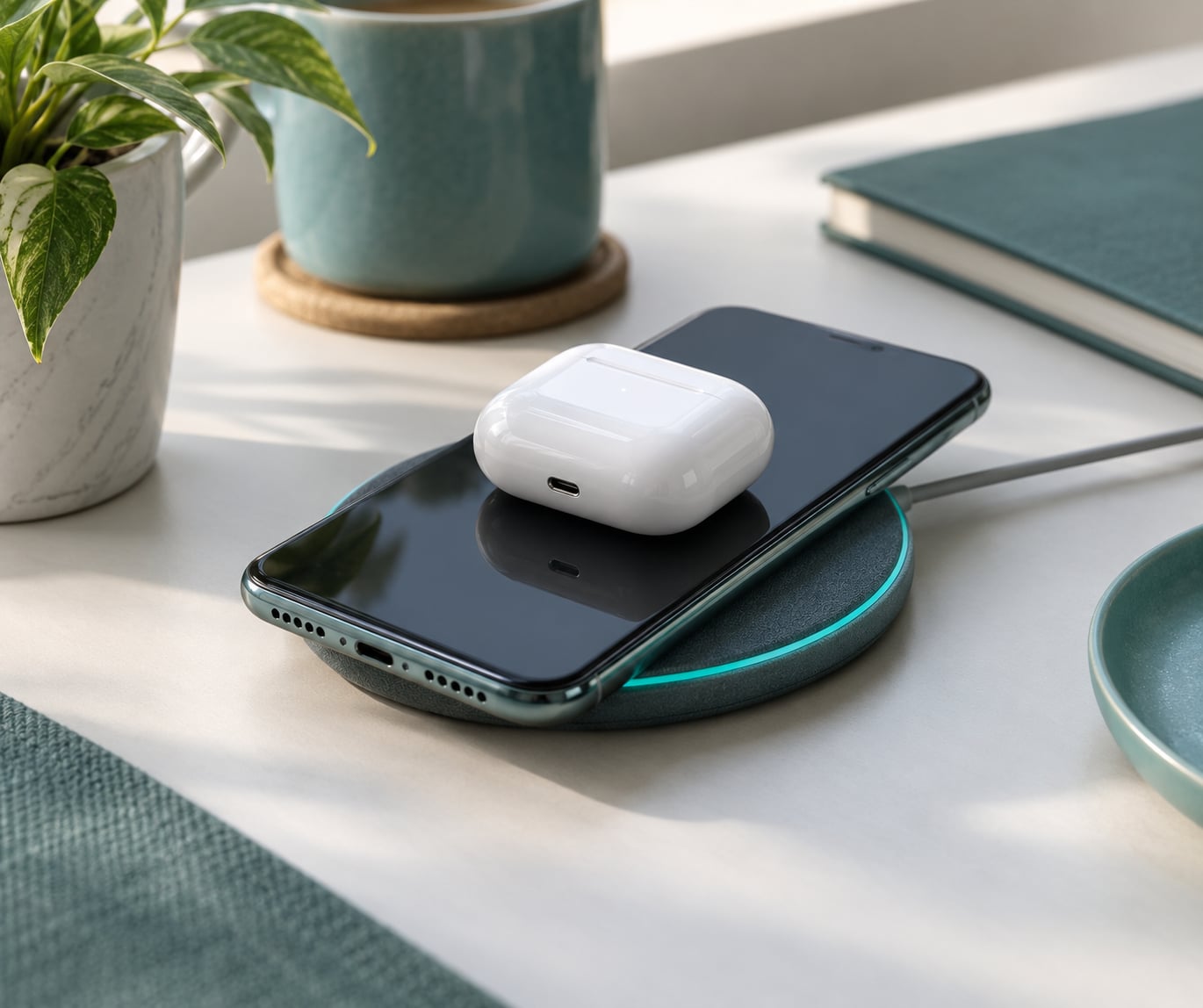
To use reverse wireless charging, switch the feature on in your phone’s battery settings (Samsung calls it Wireless PowerShare, Google calls it Battery Share), then lay the other device flat against the centre of your phone’s back, backs facing each other. It takes about 30 seconds and works best for earbuds cases and watches, not phones.
Before you dig through menus, one thing to clear up: reverse wireless charging is an Android feature. Apple’s iPhones do not have it, at any price point, in any software version. If you arrived here from a search for the iPhone version, skip to the FAQ at the bottom for what to do instead.
Here is the short version of what the feature is. Normal wireless charging pushes power from a pad into a phone using induction. Reverse wireless charging flips the direction: your phone energises its own charging coil and turns itself into the pad, so a second device can draw power from its battery. That flip is why output is measured in single-digit watts rather than the 25W to 50W your charging brick delivers.
Two other names worth recognising, because they trip people up constantly. Samsung labels it Wireless PowerShare. Google, and most Android makers outside Samsung, label it Battery Share or Wireless reverse charging. One feature, several names. If you search your settings for “share”, “power” or “reverse”, you will usually find it.
Table of Contents›
- What You Need
- Step-by-Step
- Check Whether Your Phone Supports Reverse Wireless Charging
- Prepare the Device That Will Receive Power
- Turn On Reverse Wireless Charging
- Start and Confirm Wireless Power Sharing
- Stop Charging and Check Your Battery
- Common Mistakes
- Tips for Better Results
- Frequently Asked Questions
- How does reverse wireless charging work?
- Does an iPhone support reverse wireless charging?
- How do I know if my phone supports reverse wireless charging?
- Why is my reverse wireless charging not working?
- Is wireless charging supposed to be so slow?
- Does reverse charging damage your battery health?
What You Need
You need three things, and two of them are easy to overlook.
- A donor phone with wireless charging built in. Almost every Android phone that supports Qi wireless charging can send power outward, but a few recent flagships dropped the feature. Check first, below.
- A Qi-compatible recipient. Earbuds cases, smartwatches, fitness trackers and other phones with a charging coil all qualify. A wired-only accessory will never charge this way.
- Bare backs. Both devices should be out of their cases, and nothing metal should sit between them. This is the single most common reason the feature silently refuses to start.
- Enough battery. Many brands refuse to power-share below 20%, and HONOR documents a 20% floor alongside a two-minute auto-disable timer once a device is removed.
You do not need a cable, a power bank or a second charger. That is the whole appeal of the feature.
Step-by-Step
Check Whether Your Phone Supports Reverse Wireless Charging
The fastest test is a settings search. Open Settings, tap the search bar, and type “share”, then try “reverse” and “power” if nothing comes back. Any hit on a toggle called Wireless PowerShare, Battery share, or Wireless reverse charging means your phone supports it.
If you would rather not hunt, pull down the quick settings panel twice. Samsung phones carry a Wireless PowerShare tile that can be dragged out of the collapsed panel and reordered. Nothing OS puts a Reverse wireless charging tile in the same place.
If the search turns up nothing, check the spec sheet. A phone with Qi wireless charging on the pad side but no share toggle usually means the maker disabled outbound power sharing on that model. Google shipped Battery Share on the Pixel 6 through Pixel 9 line, then reportedly dropped it from the Pixel 10 series, so feature lists really do go backwards between generations.
Prepare the Device That Will Receive Power
Check that the recipient has a charging coil of its own. Wireless earbuds cases, most smartwatches, fitness bands, and any phone with wireless charging qualify. Devices that charge over USB-C only will never draw from your phone.
Now clear the path. Take the case off both devices, because a thick case can hold the coils too far apart to negotiate a charge. Empty both pockets and drop any coins, keys, cards or paper clips lying near the backs. A metal object touching the donor phone’s back interrupts an in-progress charge, which is a recurring complaint from Nothing Phone owners in r/NothingTech.
What works in practice:
- Wireless earbuds cases – the ideal use, since the case itself holds a battery and the phone only needs to add a few percent.
- Smartwatches and fitness trackers – good, for the same reason. A watch puck fits neatly on a phone back.
- Another phone – technically possible, often pointless. Expect a trickle, not a rescue.
- A tablet – only if the tablet itself has wireless charging built in. Many do not, so this is where people get stuck.
- USB-C-only devices – never. There is no coil to receive the power.
Turn On Reverse Wireless Charging
Five steps, whichever brand you own.
- Open Settings and go to Battery.
- Look for Wireless PowerShare, Battery share, or Wireless reverse charging.
- Toggle it on. On Samsung you may need to tap Battery and device maintenance, then Battery, then Wireless PowerShare.
- Set the minimum battery level if the option appears. The default threshold is usually 20% or 30%.
- Check the notification panel for a running PowerShare or Battery share notification, which confirms the coil is live.
Where each brand hides the toggle:
- Samsung Galaxy – Settings, Battery and device maintenance, Battery, Wireless PowerShare. Or the quick settings tile.
- Google Pixel – Settings, Battery, Battery share.
- Huawei – Settings, Battery, Wireless reverse charging. Place the device on the centre of your phone’s back.
- Xiaomi and Redmi – Settings, Battery, Battery share.
- Motorola – Settings, Battery, Battery share.
- OnePlus – Settings, Battery, Battery share.
- Nothing – the quick settings tile labelled Reverse wireless charging, or Settings, Battery.
- HONOR – Settings, Battery, Wireless reverse charging.
Wording drifts between makers and between software versions, so if the exact label is not there, search the settings app rather than hunting for the precise string. Still nothing? Your model likely does not support it, or the feature sits under a different settings section such as Connectivity or Power.
Start and Confirm Wireless Power Sharing
Unlock the donor phone first, then lay the recipient flat against the centre of its back, backs facing each other. Do not stack them offset to the corner. The charging coil is roughly the width of a credit card and sits in the upper-middle of most phones, so centring the recipient over that spot is the whole trick.
Give it about five seconds. Some brands leave a short repositioning window where nothing happens because you placed the device slightly off-centre, so nudge it and wait again before assuming failure.
Confirmation comes in one of three forms: a charging icon on the recipient device, a notification on your phone saying Wireless PowerShare is active, or the recipient’s battery percentage creeping up by one point. If you see none of those after ten seconds, assume the coils are not talking and start with the mistakes list.
Stop Charging and Check Your Battery
Lift the recipient device away. That is the whole shutdown sequence, and the donor phone will drop back to normal power draw within a moment.
Some brands, HONOR among them, auto-disable the whole feature two minutes after a device is removed, so you may have to re-enable the toggle next time. Samsung stops power sharing as soon as the devices separate and can occasionally end the session early if it detects heat.
Now the part nobody advertises. Reverse charging is a lossy conversion, and the loss is large. A Galaxy S10 owner posting in r/galaxys10 reported giving an iPhone 8 roughly 3% to 4% while their own battery fell about 30%. Your phone is running its main coil, the recipient’s coil, and the conversion electronics between them, and every stage takes a cut. So how to use reverse wireless charging well means treating it as an emergency top-up, never as a second charger.
Common Mistakes
Seven failures account for nearly every complaint I can find, in this order of how often they come up.
- No charging icon at all. Usually the case. Remove both cases and retry before touching anything else.
- Charging starts then stops. Something metal touched the donor’s back, or the devices drifted apart. Nothing Phone owners describe this exact behaviour in r/NothingTech; flat surfaces and a clear area fix it.
- The recipient never rises, or even drains. The device is drawing more than your phone can supply at that output. Sony Xperia owners report this repeatedly in r/SonyXperia: charging one phone from another is slower than the phone’s own idle drain.
- The toggle is missing. Wrong label, wrong section, or no support on that model. Use the settings search.
- It stops after a few minutes. Thermal protection. The donor phone warms up under the coil and cuts output to protect itself. Let it cool and keep the session short.
- Nothing happens below 20% or 30%. That is the threshold working as designed, not a fault.
- Wireless charging on your own phone suddenly stops. Check for the same things: foreign metal, a case, and a hot device. Pixel owners on r/pixel_phones and r/GooglePixel report failures they blame on the coil or heat rather than the toggle.
Tips for Better Results
- Centre everything. Coil-to-coil alignment is worth more than any other single thing you can adjust.
- Use a hard, flat surface. A bed or a jacket pocket shifts the devices mid-charge and breaks the session.
- Take the case off. Both of them. Every time.
- Keep sessions short. Most useful top-ups take 15 to 30 minutes. Long sessions generate heat, which costs you speed.
- Expect single-digit watts. Reported reverse output varies widely by model: around 4.5W on some Galaxy S-series flagships, roughly 5W on the Nothing Phone 2, and up to 22.5W on the Xiaomi 17 Pro Max against its 50W pad rating. Treat these as ballpark figures and check your own model.
- Compare it honestly. A 10,000mAh power bank charges faster in every situation, including phone-to-phone. Reverse wireless charging is the option for when there is no outlet, no bank, and no cable, which is a real situation more often than expected.
- Consider wired for a phone. A short USB-C cable transfers far more energy than induction ever will. Use wireless for accessories, cable for phones.
- Expect auto-shutdown. Many brands end the session once a threshold or temperature is hit. Do not assume it is broken.
Frequently Asked Questions
How does reverse wireless charging work?
Your phone energises the wireless charging coil inside it, turning the handset into the charging pad. A Qi-compatible device placed against its back picks up that power by induction and charges from your battery. Because power has to be converted back and forth between two coil systems, output drops to single-digit watts rather than the 25W or more a wall charger delivers.
Does an iPhone support reverse wireless charging?
No. Apple has never shipped a wireless power-sharing feature on any iPhone, and there is no setting hidden in iOS to enable one. If you need to charge earbuds or a watch from your iPhone, use a cable, or carry a small magnetic wireless battery. If you want the reverse feature itself, you need an Android phone that supports it.
How do I know if my phone supports reverse wireless charging?
Open Settings and search for share, power, or reverse. A toggle called Wireless PowerShare, Battery share, or Wireless reverse charging means it is supported. You can also check the quick settings panel for a share tile. If neither exists, your model has wireless charging but no outbound sharing, which happens on some recent flagships.
Why is my reverse wireless charging not working?
In order of likelihood: the phone case is holding the coils too far apart, the recipient is not centred over the coil, metal is touching the back of your phone and interrupting the session, your battery is below the 20 or 30 percent threshold, or the donor phone has heated up and cut output. Remove both cases and retry on a flat surface first.
Is wireless charging supposed to be so slow?
Yes. Charging phone-to-phone, or phone-to-earbuds at a few watts, is extremely slow by design. Wireless reverse charging is really intended for earbuds cases and watches, where topping up by a few percentage points is genuinely useful. Charging a second phone often takes so long that the recipient drains faster than it fills.
Does reverse charging damage your battery health?
Occasional use will not meaningfully harm battery health. The bigger practical cost is net capacity loss: a Galaxy S10 owner reported gaining 3 to 4 percent on another phone while losing about 30 percent of their own. Long unattended sessions generate heat, which is the factor most worth avoiding, so keep top-ups short.
Start with this: search your settings for “share”, and if the toggle exists, take both cases off and centre the small device on the back of your phone. Save reverse wireless charging for the earbuds case that is about to die and the watch you need for tomorrow morning. For anything bigger, a power bank or a cable will always do more, faster.